You Are Nice You Are Pretty AI Trend: Close-Up Pet Photo In, Talking Glitch Out
The mouth and eyes carry this clip: crop your pet photo upright and close in PhotoCraft, brighten it, and Image to Video has it talk, smile and freeze.
Pick a starting scene. It fills the prompt, model, ratio and duration below; edit anything, check the credit quote, then generate.
Fix the still in the editor first: upright 9:16, the face in the top half, brighter and less yellow, then Export and upload the image here. Open the editor in a new tab
Preset: Close-Up Calico · filled in for you
Your clip appears hereAbove: what this preset made in our sample. Yours keeps your own still.
AI content needs review. Use only photos and prompts you have permission to process, and never upload a stranger or a child. Image references are uploaded through our server to KIE only when you submit. Results use temporary provider links. Privacy & retention · Credit rules.
You are nice you are pretty: before and after the editor
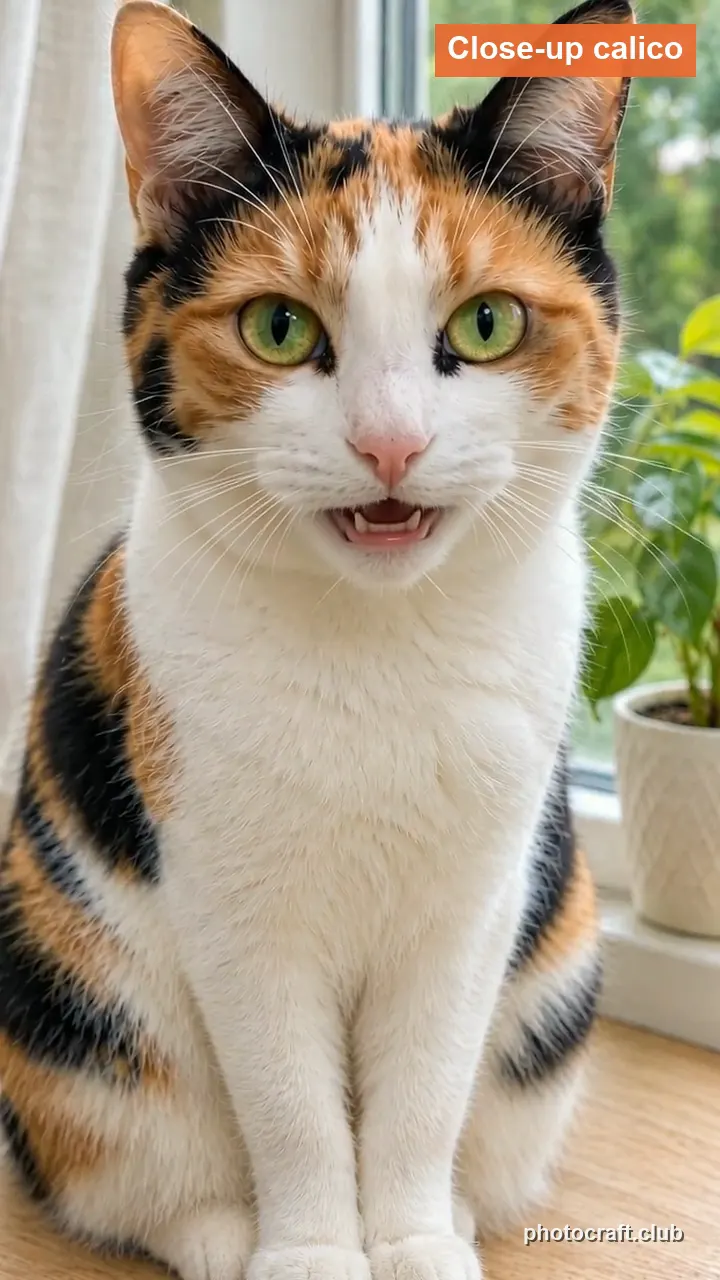
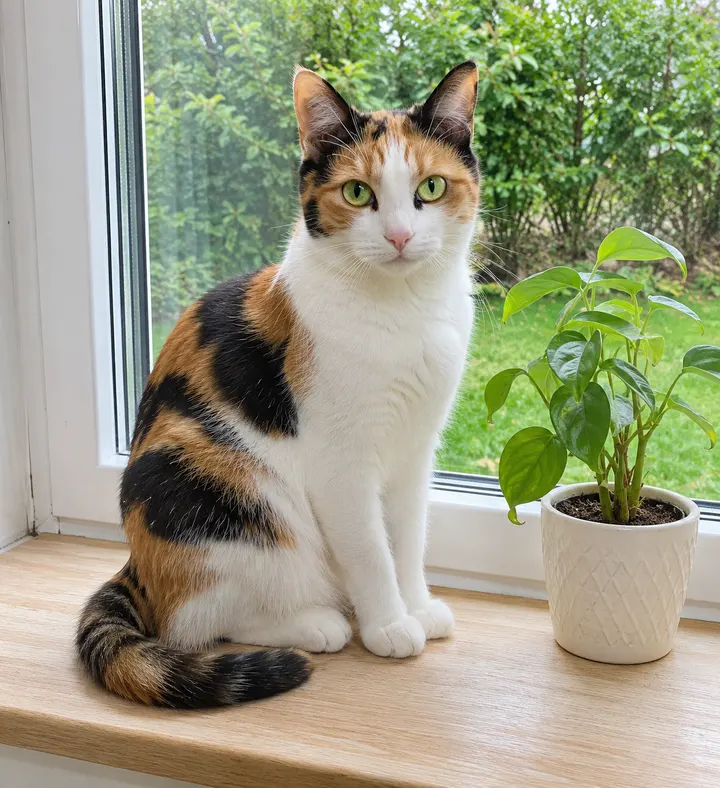
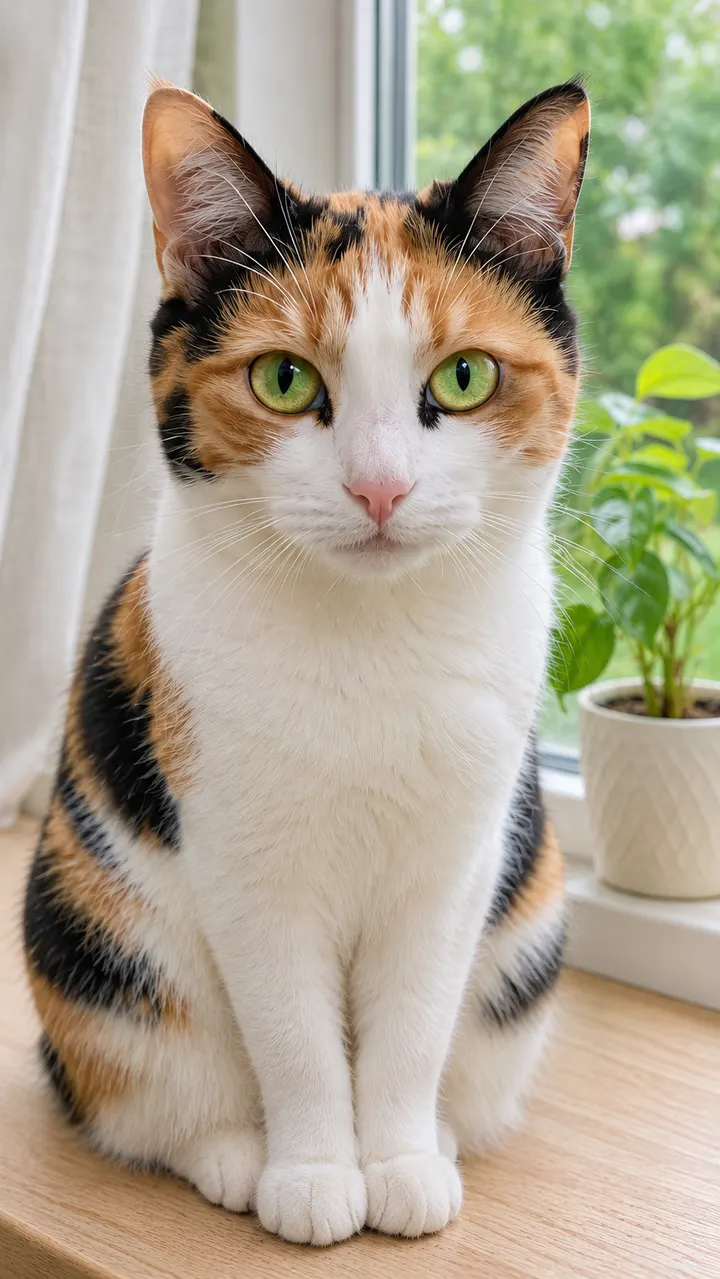
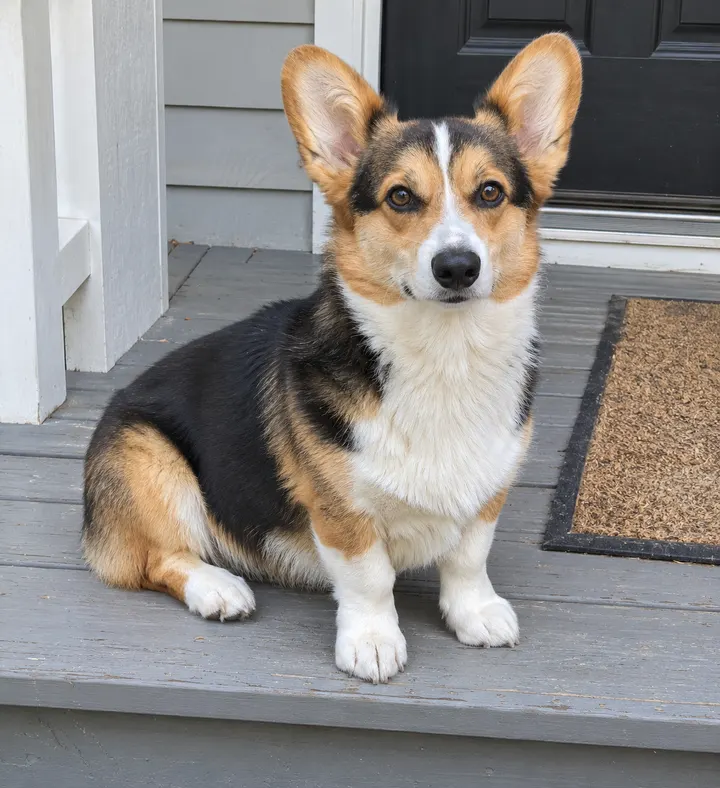
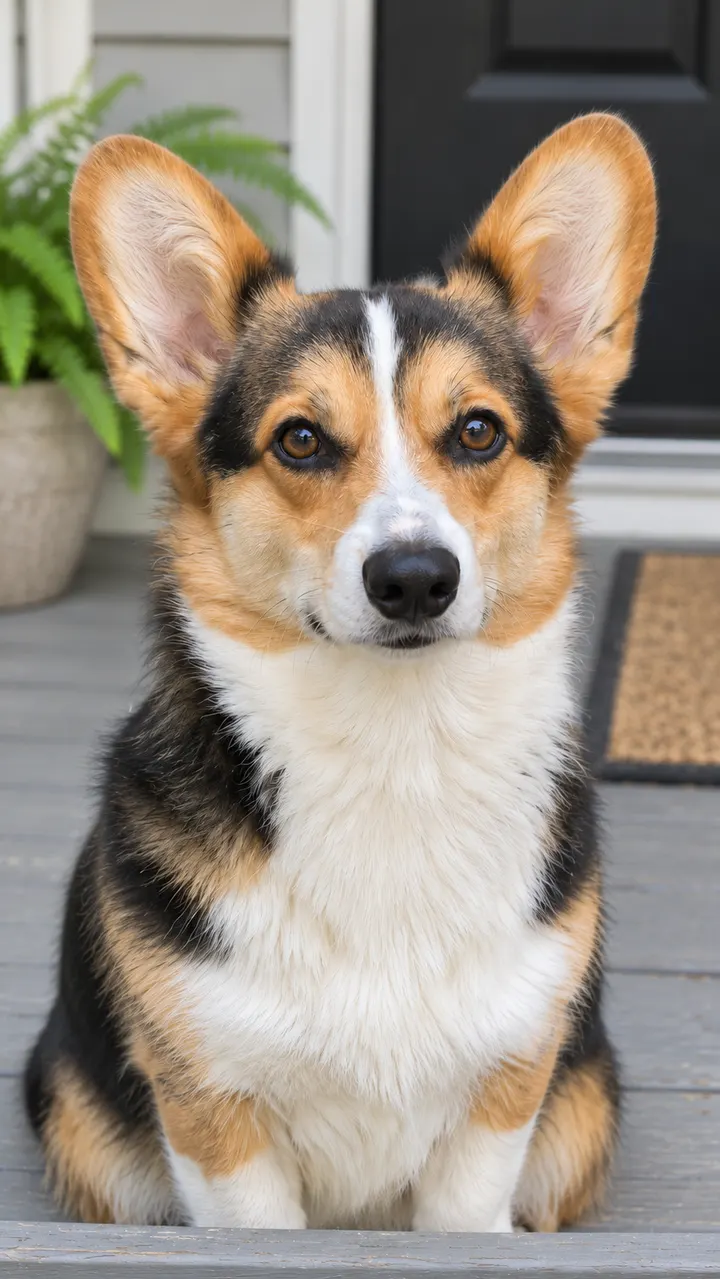
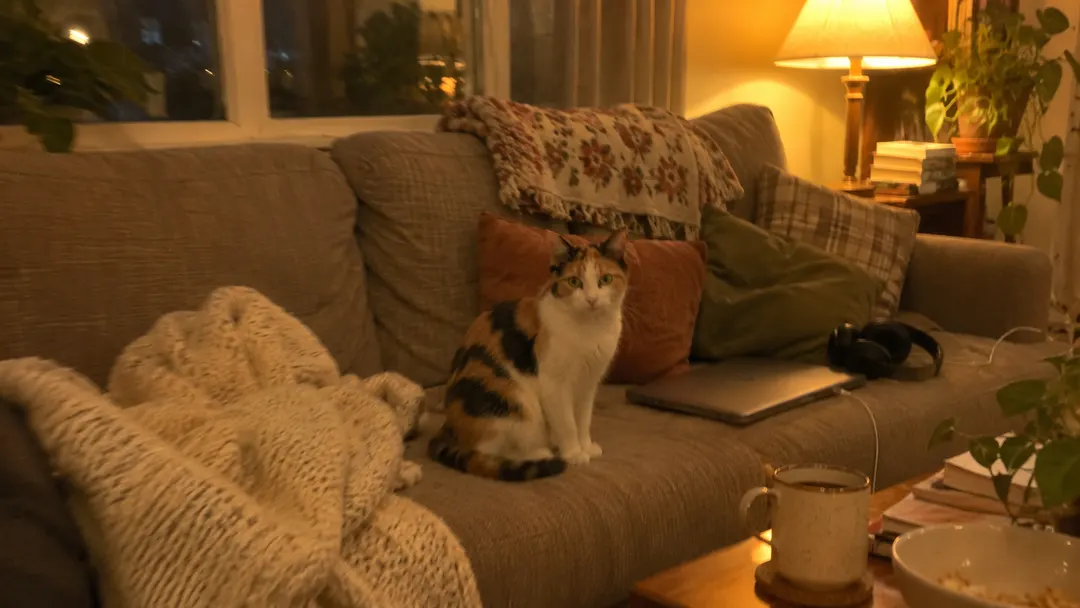
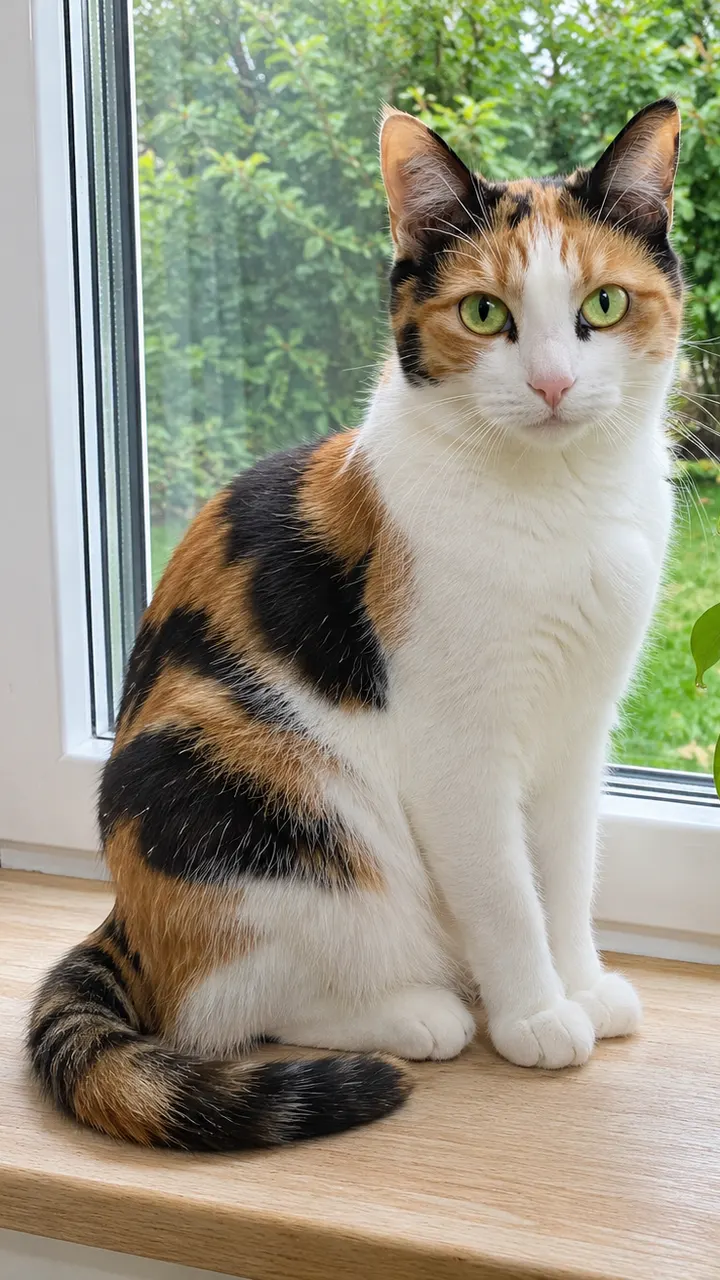
The same AI calico as a close-up daylight photo, as the upright first frame and as a 9-second clip of it talking and freezing; a corgi is the dog card. The dim evening snap with the cat small on a sofa, next to the cropped close-up, is in the comparison below.
PhotoStill (first frame)Clip · 9 sec
Close-up calico
An AI calico cat sits on a pale wooden windowsill in daylight, looks straight into the lens and says "You are kind. You are cozy. You are brilliant. You are my favorite human." in a tiny squeaky voice, then its eyelids droop half shut and its mouth hangs open in a frozen stare. No music. Input requirement: one sharp, upright 9:16 photo of one pet facing the camera, face in the top half, eyes and mouth in focus.
Sample clip made with Seedance 2.0 Fast (9 s, 9:16 vertical, 720p, audio on) from a single upright first frame.Use the Close-Up Calico preset
PhotoStill (first frame)Clip · 9 sec
Close-up corgi
An AI tricolour corgi sits on a grey porch step, ears up, and says "You are sweet. You are sunny. You are so clever. You are my best human." in a tiny voice, then its eyes go half shut with the mouth open and the tongue tip showing. No music. Input requirement: one sharp, upright 9:16 photo of one pet facing the camera, face in the top half, eyes and mouth in focus.
Sample clip made with Seedance 2.0 Fast (9 s, 9:16 vertical, 720p, audio on) from a single upright first frame.Use the Close-Up Corgi preset
Why you are nice you are pretty needs a sharp pet face
The model rebuilds the mouth on every word and the drooping lids at the end from your photo alone; a small, soft or shadowed face gives it too little to draw, and the mouth drifts off the words.
Mouth and eyes do the work
In this clip nothing moves but the face: the mouth opens on each word, the eyes blink once, then the lids drop for the glitch. The lip sync is never perfect, and a blurry mouth makes it worse. If the mouth misses the words or a paw starts to look like a hand, run it again from a sharper, face-on photo.
One pet, face-on
Use one pet looking at the camera with both eyes open, head and chest in view. Fur colours, ears and markings come from the photo, so keep the light even. If a lamp, a blanket or a second pet crowds the frame, clean up the background first with Image to Image.
Crop your pet photo for you are nice you are pretty
Load the photo into PhotoCraft, turn it upright at 9:16, crop from the chest up so the face sits in the top half, lift brightness and contrast, warm it down if the lamp made it yellow, and Export.
Before Snap: wide frame, yellow lamp light, the cat small among cushions and a laptop.After A separate daylight photo of the same cat, cropped to 9:16 with the face in the top half.
Still only Both images were made with an image model on November 21, 2026 to show the fixes above: the left is a dim evening snap, the right a separate daylight photo of the same cat cropped to 9:16. Neither was exported from the PhotoCraft editor.
Upright at 9:16
Most sofa snaps are wide, with the pet small in one corner. Crop the pet photo in the editor to an upright 9:16 frame so the clip has no empty sides to fill.
Face in the top half
Crop from the chest up until the eyes sit about a third of the way down the frame. The face then takes up enough pixels for the mouth to move cleanly on every word.
Take out the yellow
Evening lamps turn white fur cream and make eyes look dull. Lift brightness and contrast, pull the colour slightly cooler and lower the saturation a touch until white fur reads white again.
Fixed photo to you are nice you are pretty talking clip
Drop the cropped photo on the workbench, pick Close-Up Calico for a cat or Close-Up Corgi for a dog, render once, and save the ten-second clip of four compliments and the freeze as MP4.
1
Cropped photo in
Turn the photo upright at 9:16, crop from the chest up and brighten it in the PhotoCraft online editor, then Export. If the only good photo has a busy background, run it through Image to Image first; the sample stills were made that way with an image model.
Open Image to Video and turn the cropped photo into a talking clip: upload it as the first frame and choose Close-Up Calico for a cat or Close-Up Corgi for a dog.
Check the credit quote on the button and press generate. The you are nice you are pretty AI trend spread as a pet clip in mid-November 2026, with a hamster version passing 1.6 million views on November 14; your clip uses its own lines and voice.
Keep the pet's face from the first frame, fix the camera at eye level, give it four short compliments in a tiny voice, then let the face go blank with droopy lids until the end.
Use the photo as the first frame; the pet keeps its face, eye colour, markings and natural proportions in every frame, real paws, never human hands. One continuous take, fixed camera at the pet's eye level, vertical, the setting from the photo in soft light. Sound: only a tiny, squeaky, cute high voice that comes from the pet, saying in English "You are kind. You are cozy. You are brilliant. You are my favorite human." with a quiet room tone; no music, no other voices, no known song or sound. 0-0.5 s: it sits still and looks straight into the lens with bright, wide eyes. 0.5-1.6 s: "You are kind.": the mouth opens and closes on each word. 1.6-2.8 s: "You are cozy.": the same sweet face and a small happy blink. 2.8-4.0 s: "You are brilliant.": still looking straight into the lens, ears up. 4.0-5.4 s: "You are my favorite human.": it finishes the line with a small, sweet smile. 5.4-10 s: the face glitches as a performance: the face goes blank, the eyelids drop half shut and droopy, one eye twitches nearly closed, and the mouth hangs open and slowly opens and closes with no sound, as if its brain froze, while the body stays still; it stays in this dazed stare to the end. No other animals, no people, no children. No cuts. No subtitles, no captions. No text, no logos.
0.5–2.8 s"You are kind." "You are cozy." with a happy blink
2.8–5.4 s"You are brilliant." "You are my favorite human." and a small smile
5.4–10 sBlank face, droopy lids, mouth flapping with no sound
New lines, same rhythm
The trend clips say "You are nice. You are pretty. You are smart. You are my friend." in about five seconds, then glitch. This you are nice you are pretty prompt keeps that four-line rhythm with its own words; change the quoted lines to your pet's name or an inside joke before you render.
The glitch is acted
The freeze is written as a performance, not a video effect: blank face, half-shut lids, one eye twitching and the mouth flapping with no sound. "No subtitles, no captions" keeps the frame clean for your own text when you post.
Can I post a you are nice you are pretty clip made here?
Yes, with your own pet or a friend's pet they said yes to. Nobody filmed it, so keep the AI label on; the pet speaks its own lines, and the trend sound can be added inside TikTok.
Whose photo
Your own cat or dog, or a friend's pet with their OK. The trend also works with a face, but a talking clip of a stranger or a child is not a joke they agreed to, so leave those photos out.
Label and sound
The pet is animated by AI from one still, so switch on the AI label your platform offers. Your clip has its own voice and lines and no music; the trend sound belongs to its owner, so add it from TikTok's sound library if you want the original audio.
Why crop so close for you are nice you are pretty?
The whole clip happens on the face: the mouth moves on every word and the eyelids drop for the glitch. A pet that fills the top half of the frame gives the model more face to work with.
My pet photo is far away and yellow. Will it work?
Fix it first. Turn it upright, crop from the chest up so the face is large, lift the brightness and take the yellow out in the PhotoCraft online editor, then upload the export.
Can my dog say it too?
Yes. Use one dog facing the lens with its eyes and mouth in view and pick Close-Up Corgi; its face, ears and coat come from the photo.
Does my clip use the trend's original sound?
No. In a clip made here the pet says original compliments in a new tiny voice. The trend sound belongs to its owner, so add it inside TikTok if you want it.
What does one talking pet clip cost?
The presets use Seedance 2 Mini at 480p for 10 seconds, and the button shows the exact credits before you render. Credits come in one-time credit packs; there is no monthly plan.
After you are nice you are pretty: more AI video effects