Brown eyes, sunset windowSunset Window presetUse this preset
Make your tus ojos me reflejan clip
Pick a starting scene. It fills the prompt, model, ratio and duration below; edit anything, check the credit quote, then generate.
Fix the still in the editor first: trim it to forehead and lips, upright 9:16, warm the colour and remove the glare, then Export and upload the image here. Open the editor in a new tab
Preset: Lamp Glow · filled in for you
Your clip appears hereAbove: what this preset made in our sample. Yours keeps your own still.
AI content needs review. Use only photos and prompts you have permission to process, and never upload a stranger or a child. Image references are uploaded through our server to KIE only when you submit. Results use temporary provider links. Privacy & retention · Credit rules.
Tus ojos me reflejan before and after retouching
Hazel eyes as an arm’s-length snap, as a lamp-warm close-up on a pillow, and as a glide that ends on the iris, with a second pair of brown eyes lit by a sunset window.
PhotoStill (first frame)Clip · 9 sec
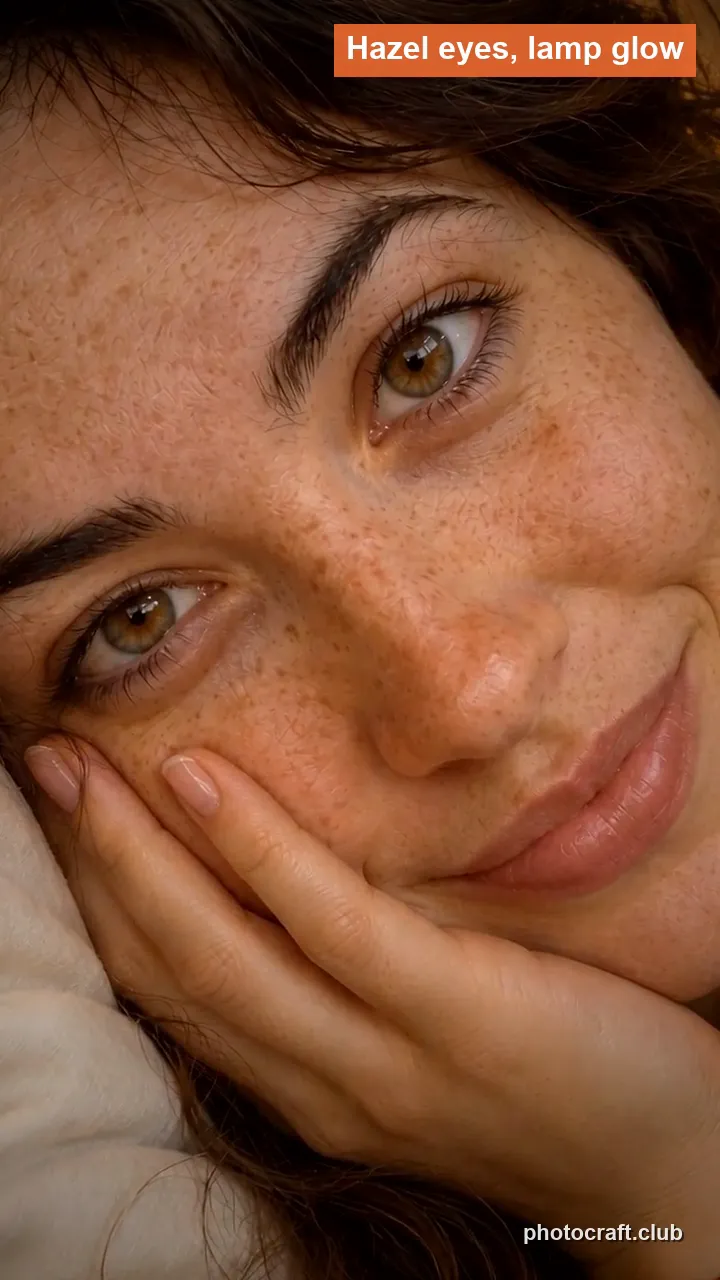
Hazel eyes, lamp glow
An original woman with hazel eyes and freckles lies on a white pillow, fingertips on her cheek and a red string on her wrist; the camera eases in until one eye fills the screen with a warm glint in the iris. Input requirement: one sharp upright 9:16 forehead-to-lips close-up in warm light with natural skin texture and clear irises. No words on screen; original soft acoustic guitar included.
Sample clip made with Seedance 2.0 Fast (9 s, 9:16 vertical, 720p, audio on) from a single retouched close-up.Use the Lamp Glow preset
PhotoStill (first frame)Clip · 9 sec
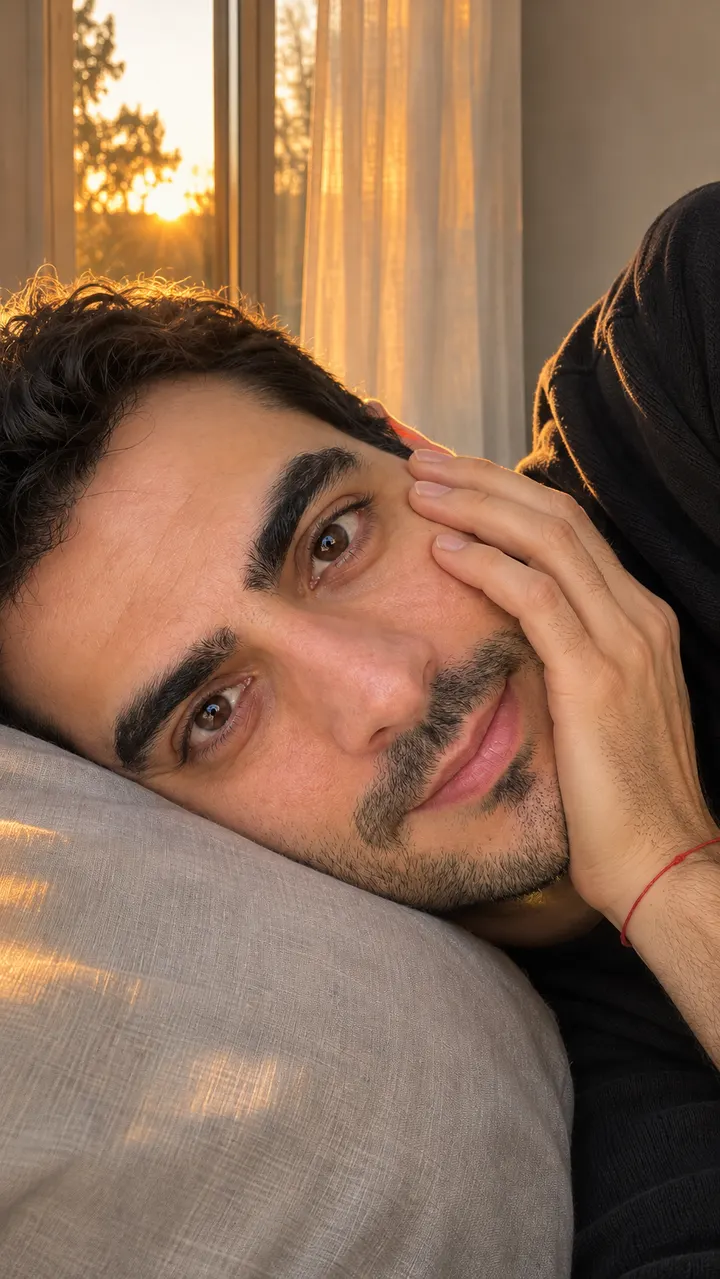
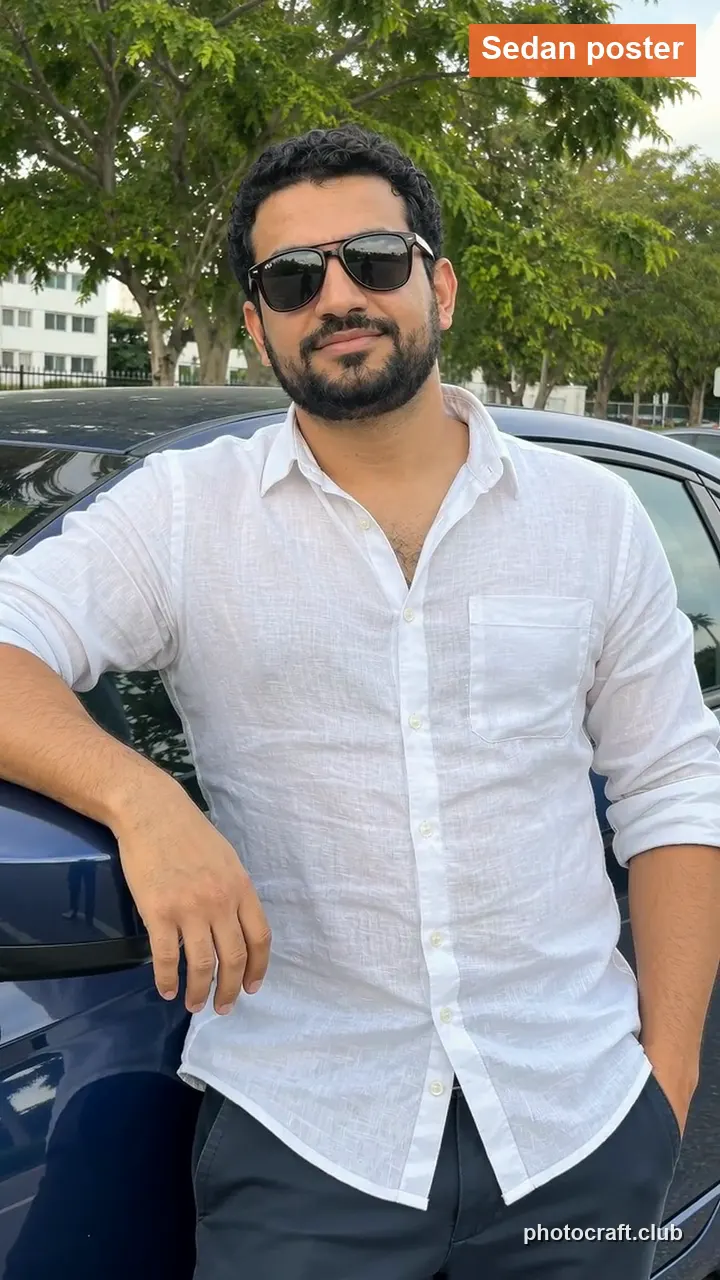
Brown eyes, sunset window
An original man with brown eyes and stubble rests his head on a grey pillow, a sunset window glowing behind him and his hand on his cheek; the camera slowly closes in on his eyes. Input requirement: one sharp upright 9:16 forehead-to-lips close-up in warm light with natural skin texture and clear irises. No words on screen; original soft acoustic guitar included.
Sample clip made with Seedance 2.0 Fast (9 s, 9:16 vertical, 720p, audio on) from a single retouched close-up.Use the Sunset Window preset
Retouch a tus ojos me reflejan close-up in PhotoCraft
Load the snap into the PhotoCraft online editor, trim it to an upright forehead-to-lips frame, nudge the colour toward lamp-warm, dab out the glare on the forehead and Export. The last second is nothing but your eyes, so a bluish tint or a shine gets magnified.
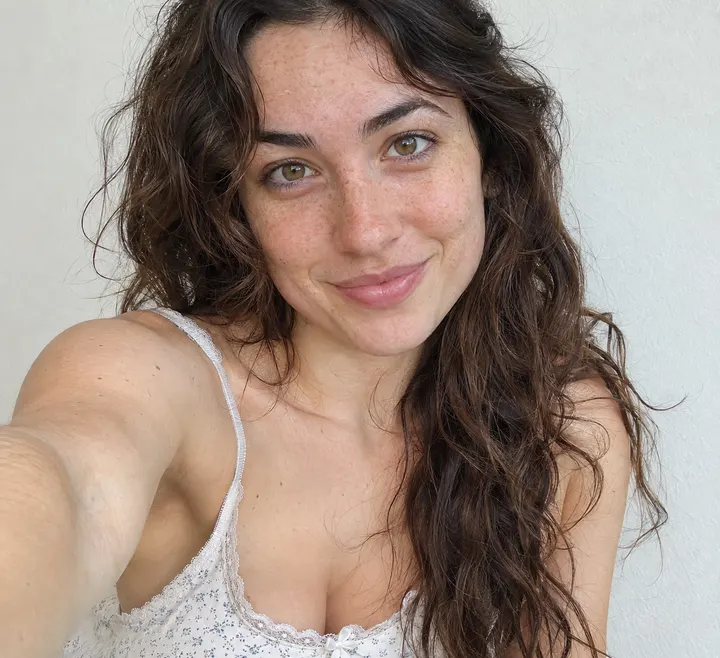
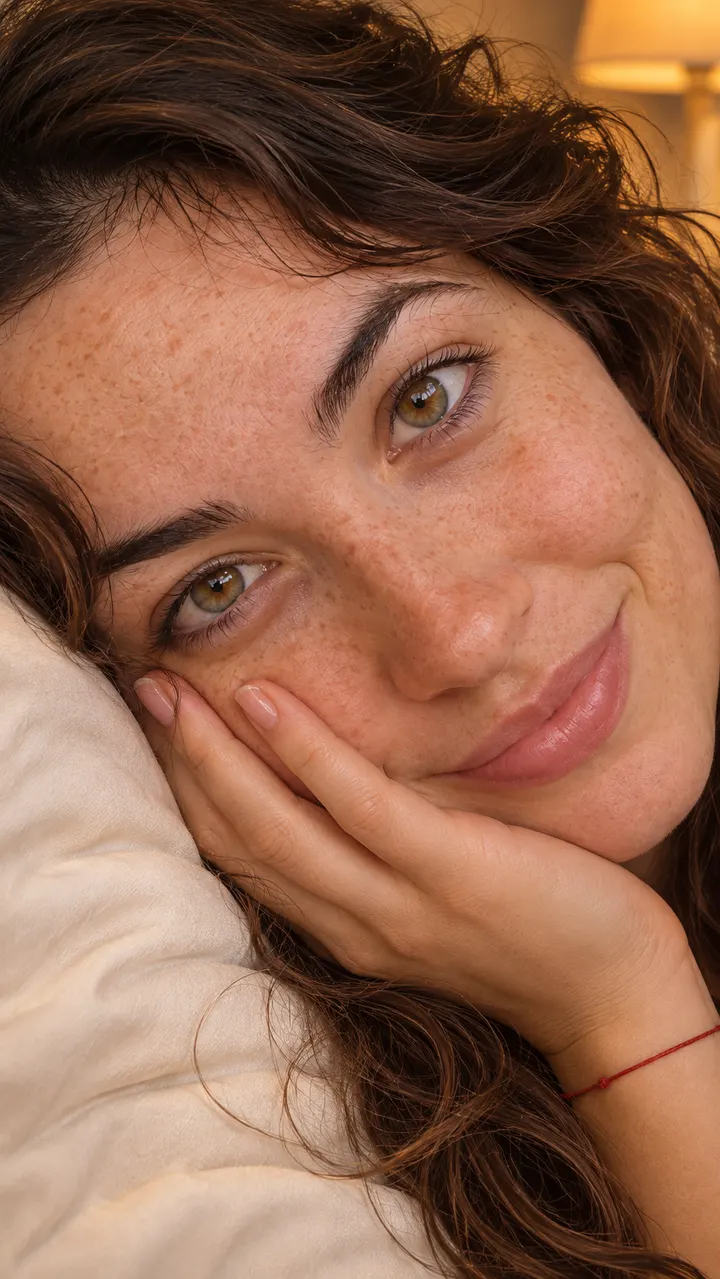
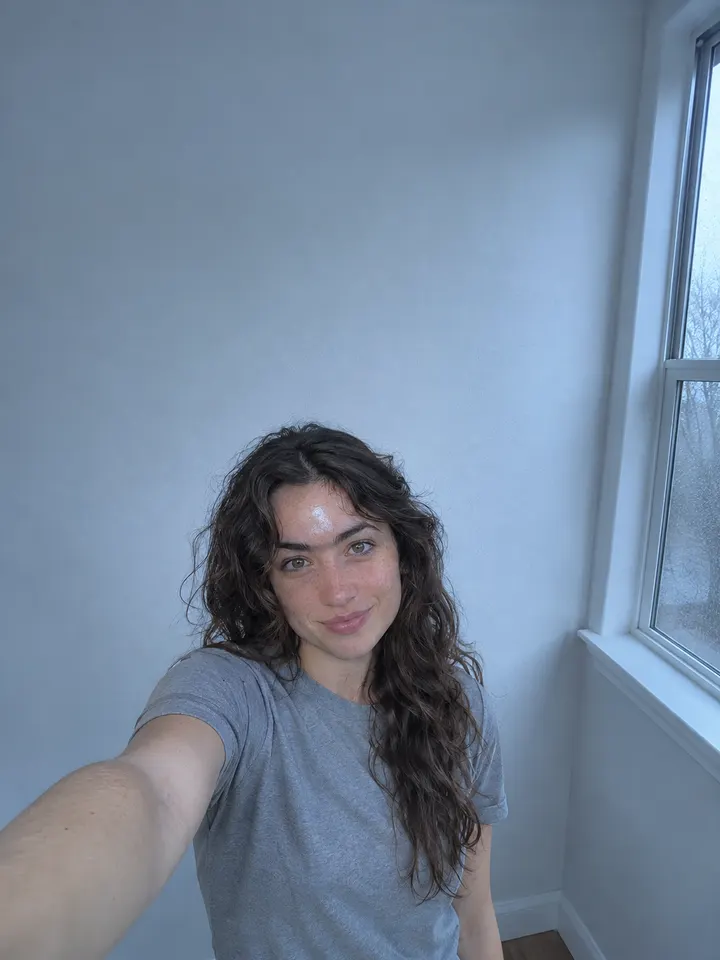
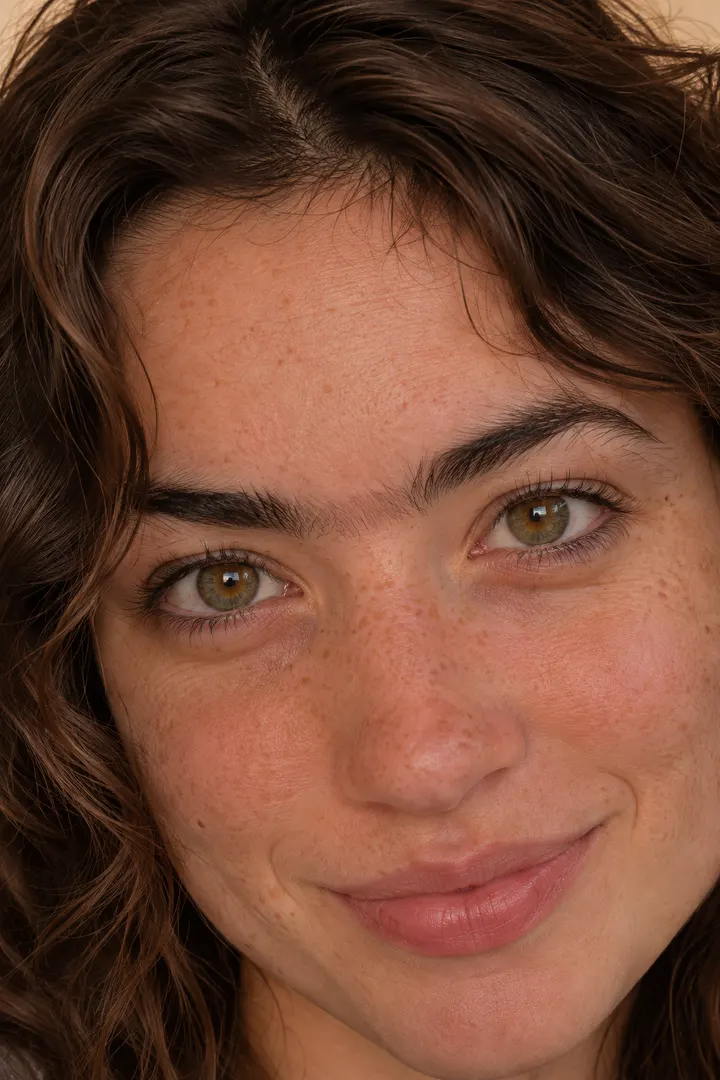
Before Arm’s-length snap: cold blue light, face small in the frame.After Trimmed to forehead and lips, warmed, freckles kept.
Still only Both images were made with an image model on November 9, 2026 to show the fixes above; the sample clips start from their own stills.
Trim to forehead and lips
An arm’s-length selfie leaves the face small. Crop upright 9:16 from the hairline to just under the lips with both eyes sharp; the push-in does the rest.
Lamp-warm colour
Window light on a grey day turns skin blue. Pull the colour toward warm and soften the contrast a little so it reads like a bedside lamp.
Lose the glare
Dab out shine on the forehead or nose and anything temporary, like a spot. Keep freckles and skin texture so the close-up still looks like you.
Retouched still goes into Image to Video, Lamp Glow or Sunset Window sets the light, one press renders the glide, and the MP4 lands in your downloads. No CapCut template needed.
1
Retouched still
Trim, warm and clean the selfie in the PhotoCraft online editor and Export. Want the pillow and the hand on the cheek in the opening frame? Run the retouched close-up through Image to Image first; the sample stills were made that way with an image model.
Check the credit quote on the button and press generate. The trend began in late October 2026, when people in Colombia and Mexico posted eye close-ups over the line "tus ojos me reflejan el sentimiento" from Cafuné by Micro TDH. Your clip comes with its own soft guitar and no words on screen.
Hold the opening frame for two breaths, then one unhurried glide toward the irises, a single slow blink near the middle, a glint of warm light, and a smile that shows only in the eyes.
Use the photo as the first frame; keep the face, eye color, freckles and skin texture exactly. One continuous close-up shot, vertical 9:16, warm bedside-lamp light. 0-2.5 s: almost still, a slow breath, eyes calm on the lens. 2.5-10 s: one very slow, smooth push-in toward the eyes until both eyes fill the frame; one slow blink at about 4.5 s; a warm point of light drifts across the pupils; if a hand is on the cheek, the fingertips stroke it once, very gently; in the last second a soft smile shows in the eyes. No cuts, no fast zoom, no camera shake, no extra fingers, no beauty filter. Original soft acoustic guitar, no lyrics. No text, no captions, no logos.
0–2.5 sAlmost still, a slow breath, eyes on the lens
2.5–10 sOne slow glide toward the eyes
~4.5 sA single slow blink
Last secondWarm light in the irises, a smile in the eyes
One unhurried glide
One push-in from start to finish. Cuts, a fast zoom or camera shake break the mood, so the prompt rules them out by name.
Calm words to include
Slow, smooth, gently, almost still. Add "no beauty filter" and "no extra fingers" when a hand rests on the cheek.
Tus ojos me reflejan starts with sharp open eyes
Both eyes open and looking straight at the lens, focus on the lashes, gentle daylight or a bedside lamp, nothing over the eyes; your face, or a partner who said yes.
Eyes that work
Both eyes open and sharp, looking into the lens, soft daylight or a lamp. Lying on one side with a hand on the cheek is the classic look, but a straight-on close-up works too.
Eyes that blur
Sunglasses, hair or a hand over the eyes, a photo taken from far away, heavy filters and dark rooms. Use only a face whose owner agreed to it.
The last second is nothing but your eyes, so a bluish tint or forehead glare gets magnified. Clean it once in the PhotoCraft online editor and Export before you upload.
How close should I crop?
From the forehead to the lips, upright 9:16, both eyes sharp. The push-in does the rest.
Should I smooth my skin?
Only remove what is temporary, like a shine or a spot. Keep freckles and texture so the close-up still looks like you.
Can I use my partner’s photo?
Yes, a close photo your partner agreed to share. Most posts are about the other person’s eyes.
What does one clip cost?
The presets use Seedance 2 Mini at 480p for 10 seconds, and the button shows the exact credits before you render. Credits come in one-time credit packs; there is no subscription.