Pick a starting scene. It fills the prompt, model, ratio and duration below; edit anything, check the credit quote, then generate.
Fix the still in the editor first: crop to 9:16 around just you from the chest up, brighten your face, then Export and upload the image here. Open the editor in a new tab
Preset: Neon Alley Boss · filled in for you
Your clip appears hereAbove: what this preset made in our sample. Yours keeps your own still.
AI content needs review. Use only photos and prompts you have permission to process, and never upload a stranger or a child. Image references are uploaded through our server to KIE only when you submit. Results use temporary provider links. Privacy & retention · Credit rules.
King Jin AI trend before and after the crop
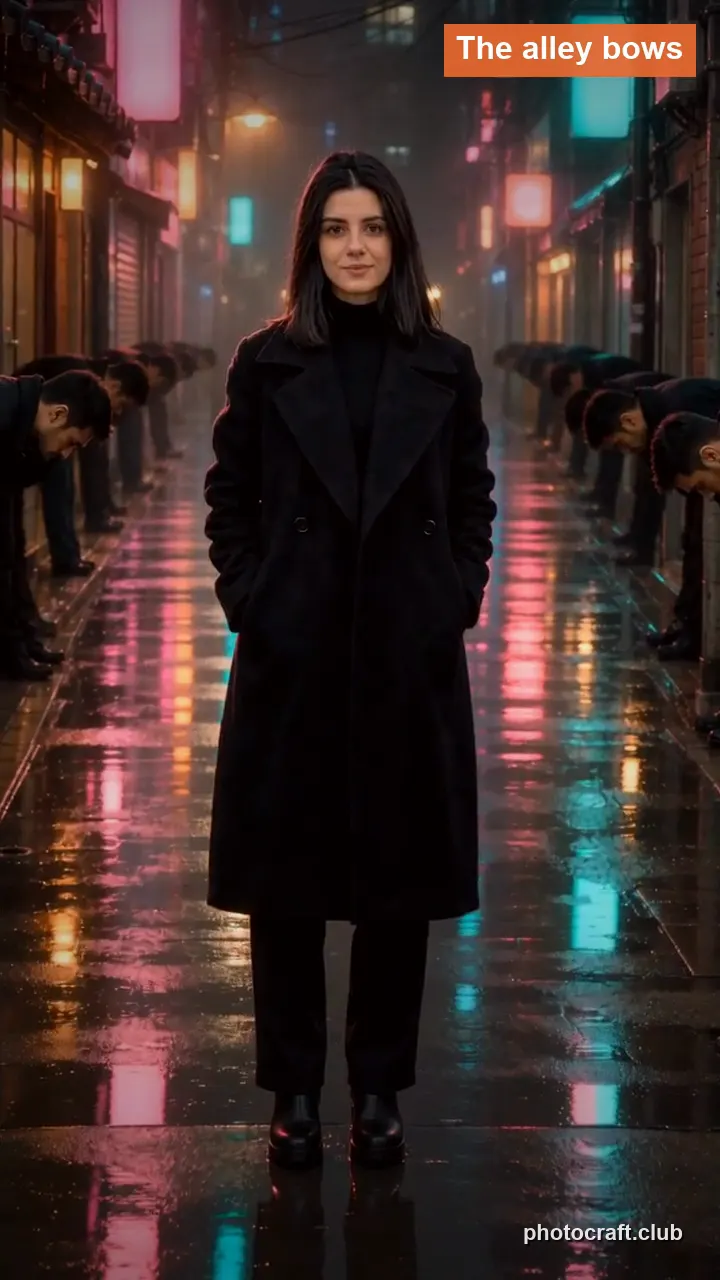
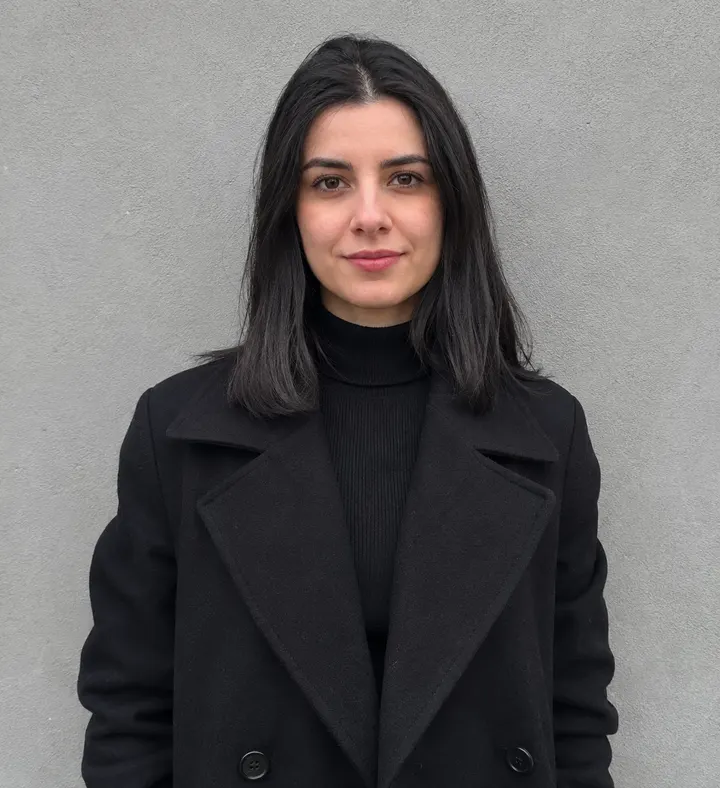
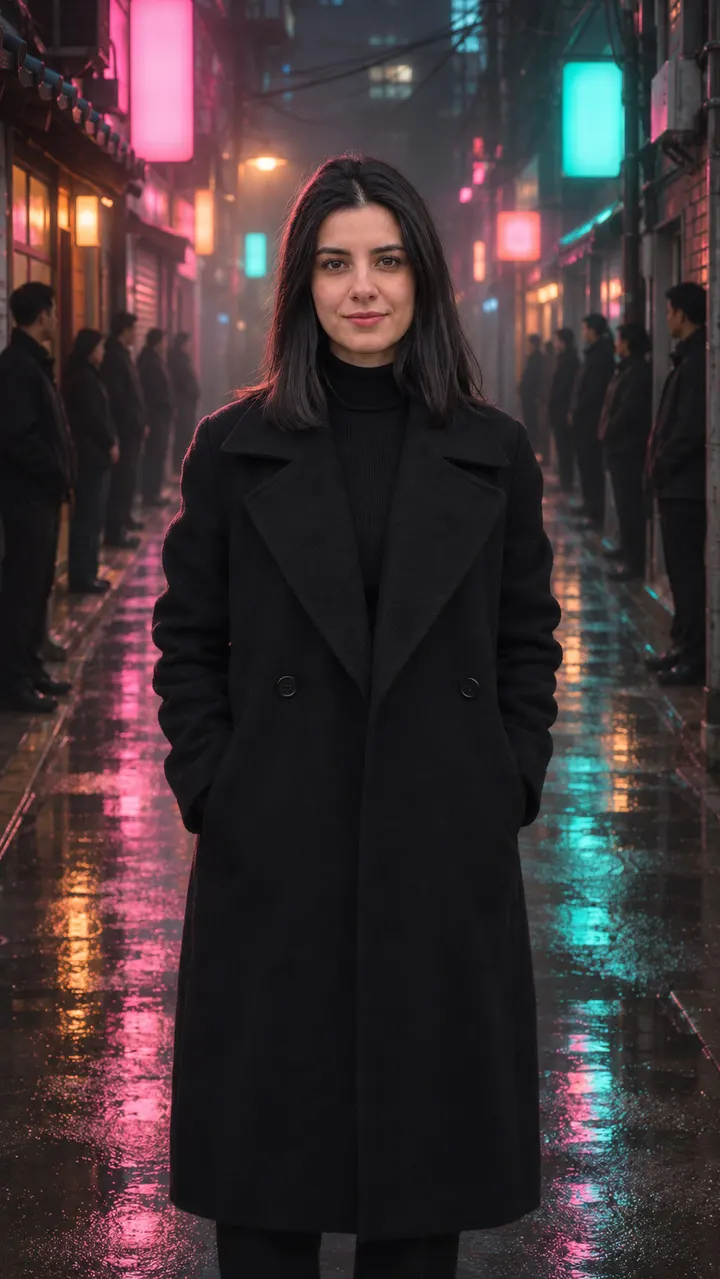
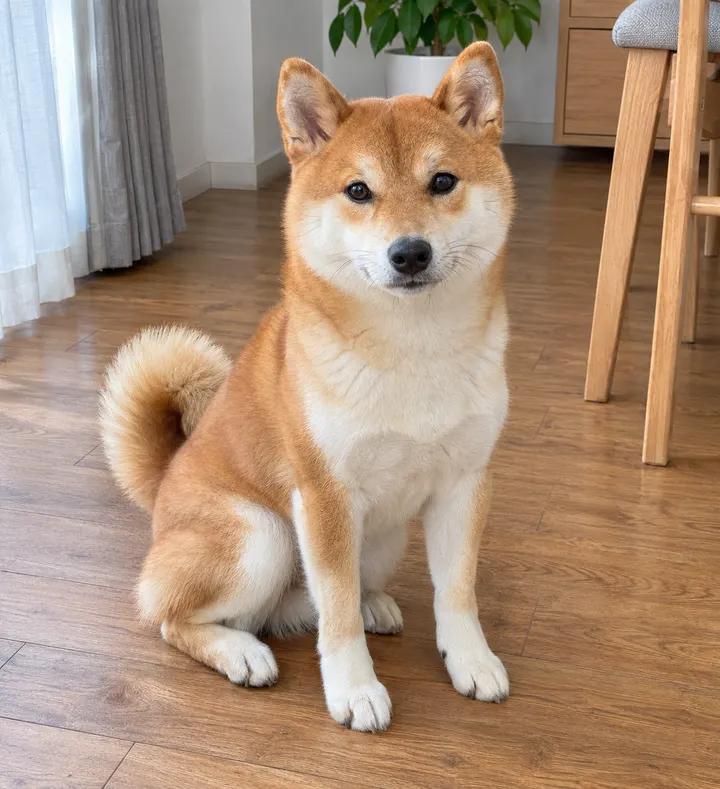
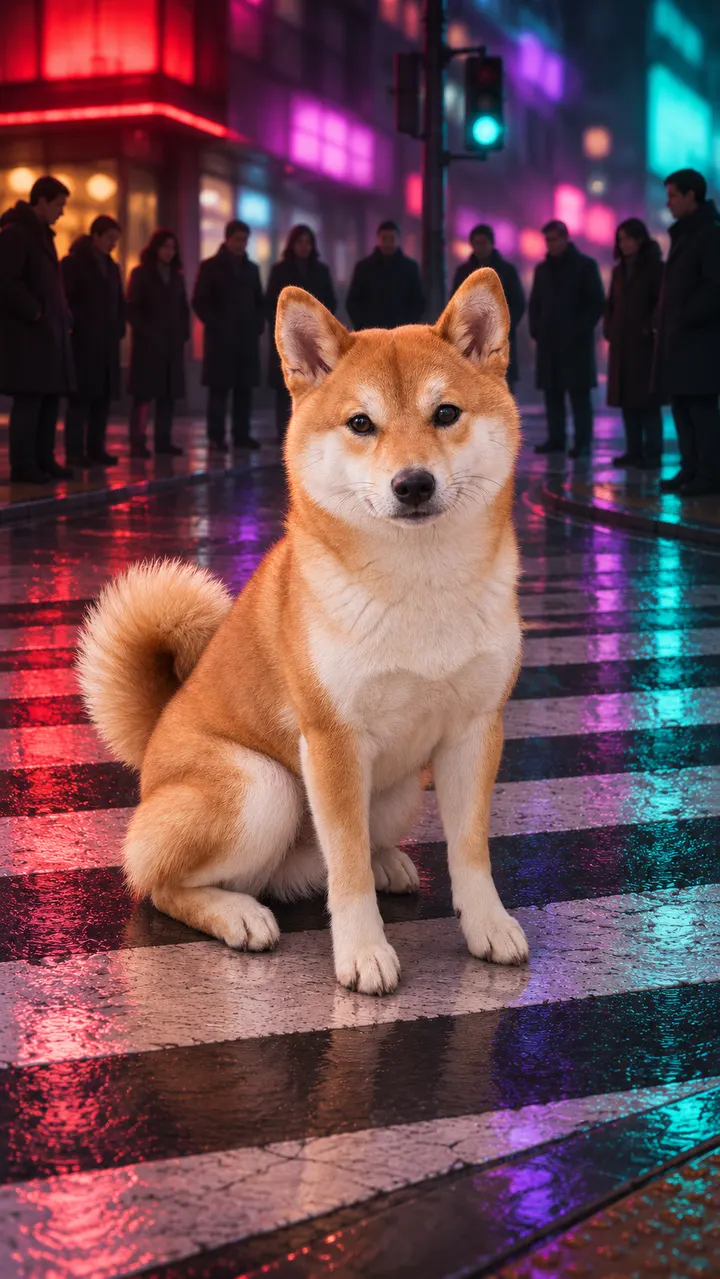
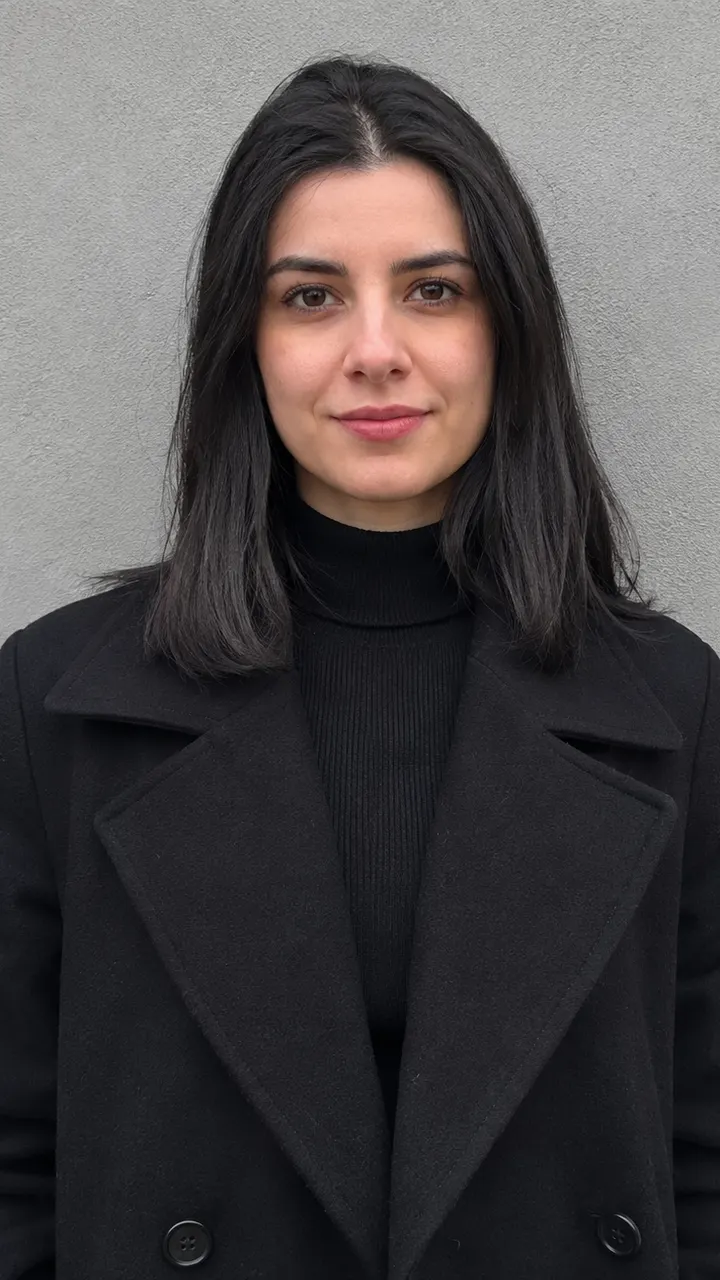
The same woman as a chest-up photo, as the first frame in a long black coat on the neon alley, and as the clip in which the alley bows to her; a shiba on a crosswalk is the pet card. The dim group snap she started from is in the comparison below.
PhotoStill (first frame)Clip · 9 sec
Neon alley boss
An original woman in a long black coat stands still in a rain-wet neon alley while the rows of people on both sides bend low one after another, heads down; the camera moves in until she fills the frame. Input requirement: one sharp upright 9:16 photo of one adult from the chest up with the face big and bright, or one pet with face and body in view.
Sample clip made with Seedance 2.0 Fast (9 s, 9:16 vertical, 720p, audio on) from a single upright first frame.Use the Neon Alley Boss preset
PhotoStill (first frame)Clip · 9 sec
Shiba crossing
An AI shiba sits in the middle of a wet neon crosswalk while the people behind it bow; the camera moves in until its face fills the frame, ending on a small grin. Input requirement: one sharp upright 9:16 photo of one adult from the chest up with the face big and bright, or one pet with face and body in view.
Sample clip made with Seedance 2.0 Fast (9 s, 9:16 vertical, 720p, audio on) from a single upright first frame.Use the Shiba Crossing preset
Why the King Jin AI trend wants your face big
The clip ends on a chest-up close-up, so your face carries the last three seconds; from a far or full-body photo the model has too little face to work with and it drifts.
The close-up at the end
The King Jin AI trend opens wide on the street and finishes close on your calm stare. A face that takes up a small corner of the photo has to be filled in by the model when the camera gets there, and that is where it stops looking like you.
One person per photo
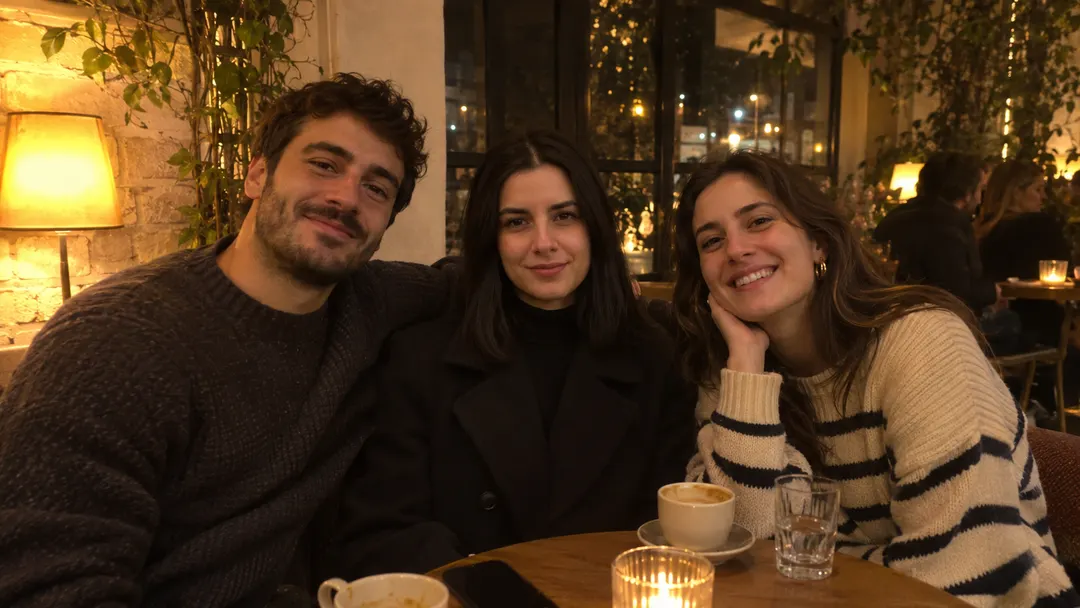
Only one person stands upright; everyone else bows with the head low. With friends in the photo, the model has to guess who the boss is, and a second face can end up in the middle of the street.
Open the photo in the PhotoCraft online editor, crop it to 9:16 around you from the chest up so no friend stays in the frame, lift the light on your face and Export a flat image.
Before Group snap: three people, dim light, her face small in the middle.After A separate chest-up photo of her, cropped to 9:16, face bright.
Still only Both images were made with an image model on November 17, 2026 to show the fixes above, not exported from the PhotoCraft editor; the alley still in the first sample was made from the chest-up photo with an image model.
Just you in the frame
Crop until no shoulder, arm or half face of a friend is left at the edges. If you sit squeezed between two people, a tight crop still catches them; pick a photo where you stand a little apart, or a separate shot of just you.
Chest up at 9:16
Crop upright from just above the hair to the middle of the chest so your face fills the top third. The street, the neon and the crowd are added around that frame.
Light on the face
Restaurant and bar photos leave the face warm and dim. Raise brightness and shadows until your eyes read clearly; the neon in the clip is cool and dark, so a bright face keeps you recognisable in the close-up.
King Jin AI trend: the street bows to your cropped photo
Upload the cropped photo to Image to Video and pick Neon Alley Boss or Shiba Crossing; the preset already holds the street, the crowd and the slow push-in, so you only press render. No CapCut template needed.
1
Cropped photo in
Crop to 9:16 around just you from the chest up and brighten your face in the PhotoCraft online editor, then Export. For the long coat on the neon alley in the opening frame, run it through Image to Image first; the sample stills were made that way with an image model.
Check the credit quote on the button and press generate. The King Jin AI trend started as a CapCut AI photo template on TikTok around November 11–13, 2026, most posts set to the track KIAT JUD DAY HARDTEKK; your clip comes with its own original instrumental.
It keeps your face, hair and clothes from the first frame, holds you still, rolls the bow down both sides of the alley from the far end, and ends on a chest-up close-up of your stare.
Use the photo as the first frame; the person keeps the exact face, hair and clothes in every frame and stays perfectly still in the middle of the alley. One continuous cinematic take, slow push-in, slightly handheld, rain-wet neon alley at night, original dark hard-hitting electronic instrumental with a heavy bass drop, no lyrics, no singing, no dialogue. 0-2 s: wide from the knees up; the people on both sides stand upright facing them, water drips from the glowing signs. 2-5 s: starting at the far end of the alley and rolling toward the camera, the people on both sides bend forward at the waist one after another and bow deeply, heads low, and stay bowed. 5-7.5 s: the whole alley is bowed; the person does not move, only a slight nod, the hem of the coat stirs in the wind, the camera keeps pushing in. 7.5-10 s: the camera ends on a chest-up close-up of a calm stare into the lens, neon reflections on the wet ground behind. Only this person stands upright and faces the camera; every other head stays low, so no other face is clear. Adults only, plain dark clothes, no weapons, no tattoos, no gang signs. Signs are blurred light blocks with no readable letters. No text, no logos.
0–2 sWide from the knees up; the people on both sides stand upright
2–5 sFrom the far end, both sides bow low one after another
5–7.5 sThe whole alley stays bowed; you hold still
7.5–10 sChest-up close-up of your calm stare
Words that keep the scene clean
"Every other head stays low, so no other face is clear" keeps strangers' faces out. "Signs are blurred light blocks with no readable letters" stops fake shop names, and "no weapons, no tattoos, no gang signs" keeps it a joke.
Pet version
Shiba Crossing seats your dog or cat on a crosswalk with a half circle of people bowing to it. A calm, serious pet is the funniest; keep the whole body and face in the photo.
Keep the King Jin AI trend a joke
Use your own face, a friend who said yes or your pet, keep the AI label on, and do not post it to make a real person look like a gang boss.
Whose photo
Your own photo, an adult friend who agreed to it, or your dog or cat. Skip photos of strangers, coworkers who did not say yes and famous people.
The AI label
Nobody filmed this: the street, the crowd and the bow come from one still photo. Keep the AI label your platform offers switched on, and do not caption it as something that happened.
Crop it first. The King Jin AI trend takes one person per photo, so cut the friends out in the PhotoCraft online editor and keep just you, from the chest up.
Does a full-body photo work for King Jin?
It works less well: the clip ends on your face, and a far shot leaves too little of it, so crop in until your face fills the top third.
Can my dog stand in for me?
Yes. Pick Shiba Crossing and add one pet photo with the face and body clear; the pet takes the middle of the street and the people bow to it.
Is the bowing crowd real?
No. It started as a CapCut AI photo template, and here the street and every person in it are generated from your one photo; the clip carries an original instrumental. Keep the AI label on and only use your own face, a friend who agreed or your pet.
What does one King Jin clip cost here?
The presets use Seedance 2 Mini at 480p for 10 seconds, and the button shows the exact credits before you render. Credits come in one-time credit packs; there is no subscription.
After the king jin ai trend: more AI video effects