James Bond Reveal AI Trend: Bright Photo In, Tux Reveal Out
A dark scene needs a bright face: lift your photo in PhotoCraft, crop it upright, and the clip walks you in a black tuxedo from pitch black into a single beam.
Pick a starting scene. It fills the prompt, model, ratio and duration below; edit anything, check the credit quote, then generate.
Fix the still in the editor first: upright 9:16 from the waist up, a brighter face, the yellow cast taken out, then Export and upload the image here. Open the editor in a new tab
Preset: Dark Room Walk-In · filled in for you
Your clip appears hereAbove: what this preset made in our sample. Yours keeps your own still.
AI content needs review. Use only photos and prompts you have permission to process, and never upload a stranger or a child. Image references are uploaded through our server to KIE only when you submit. Results use temporary provider links. Privacy & retention · Credit rules.
James Bond reveal AI trend: before and after the editor
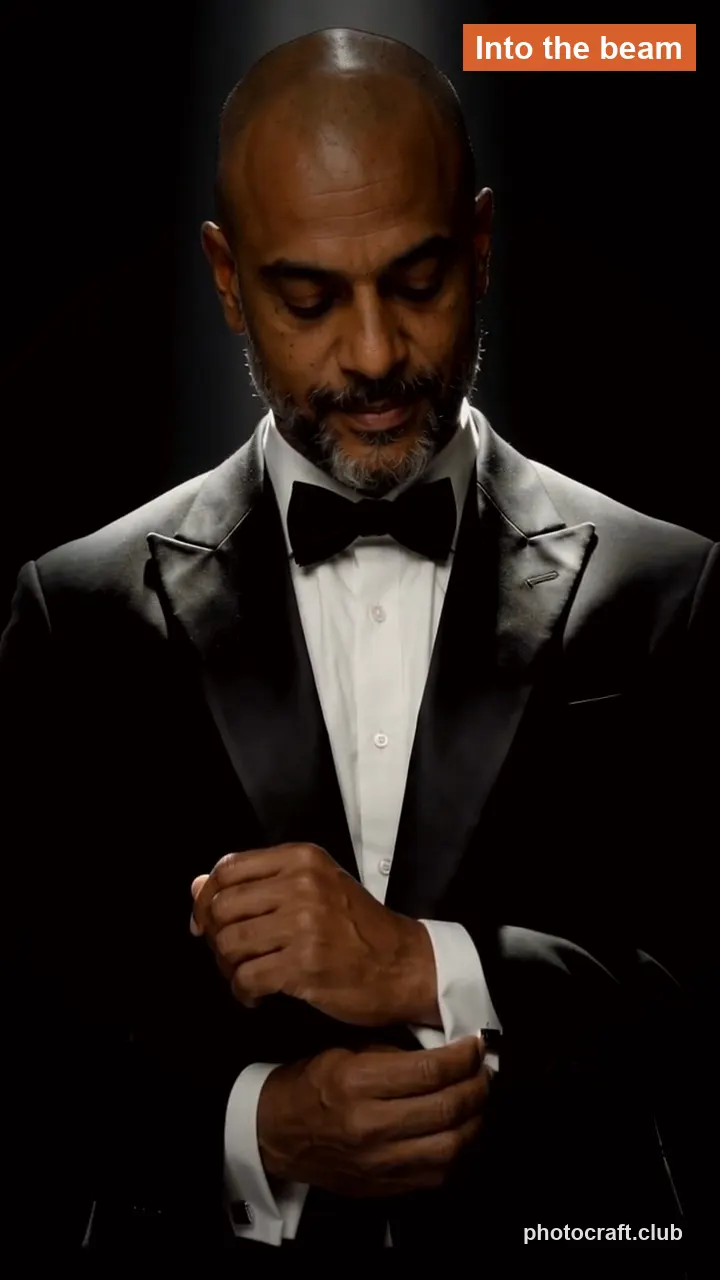
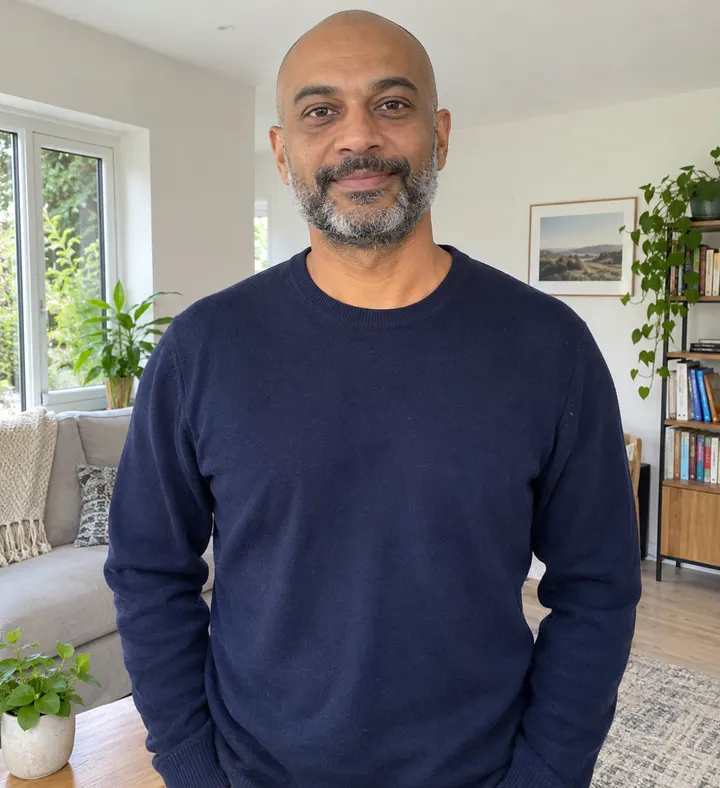
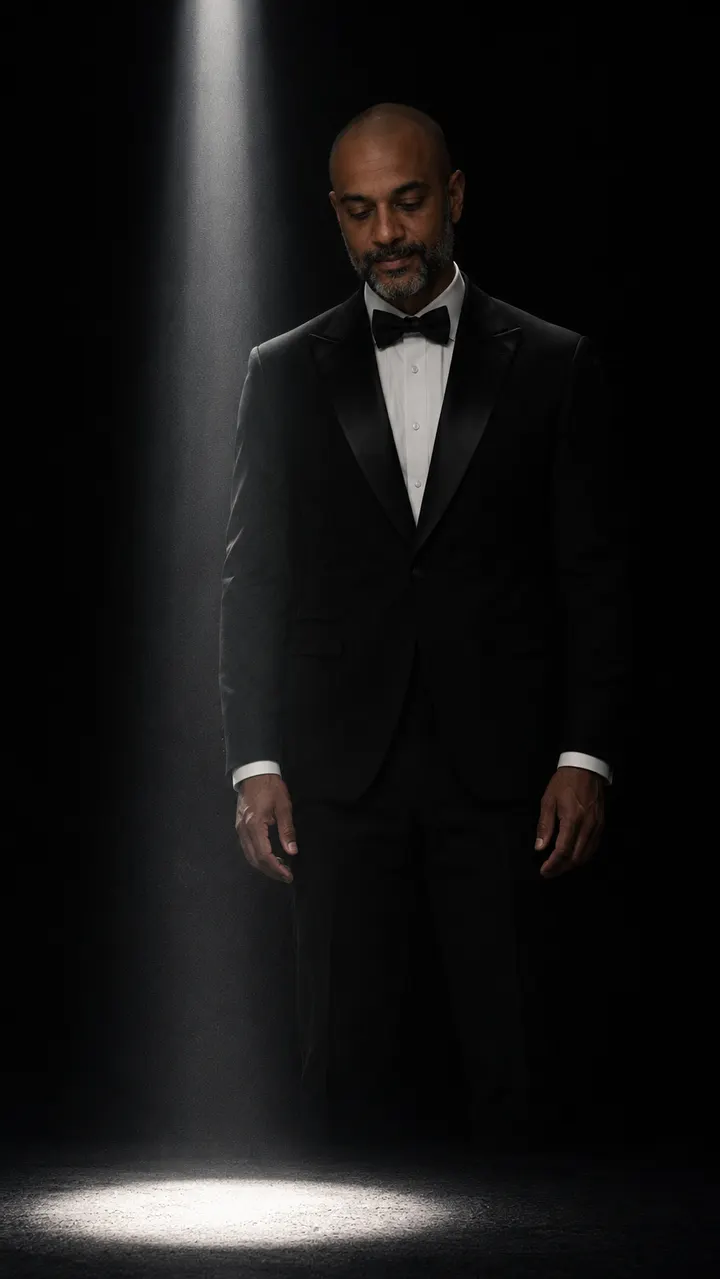
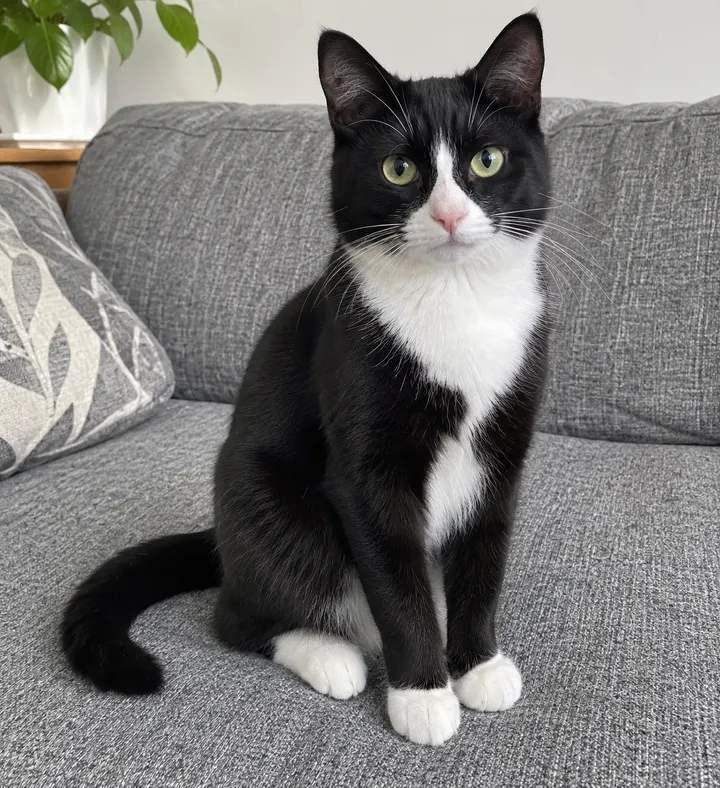
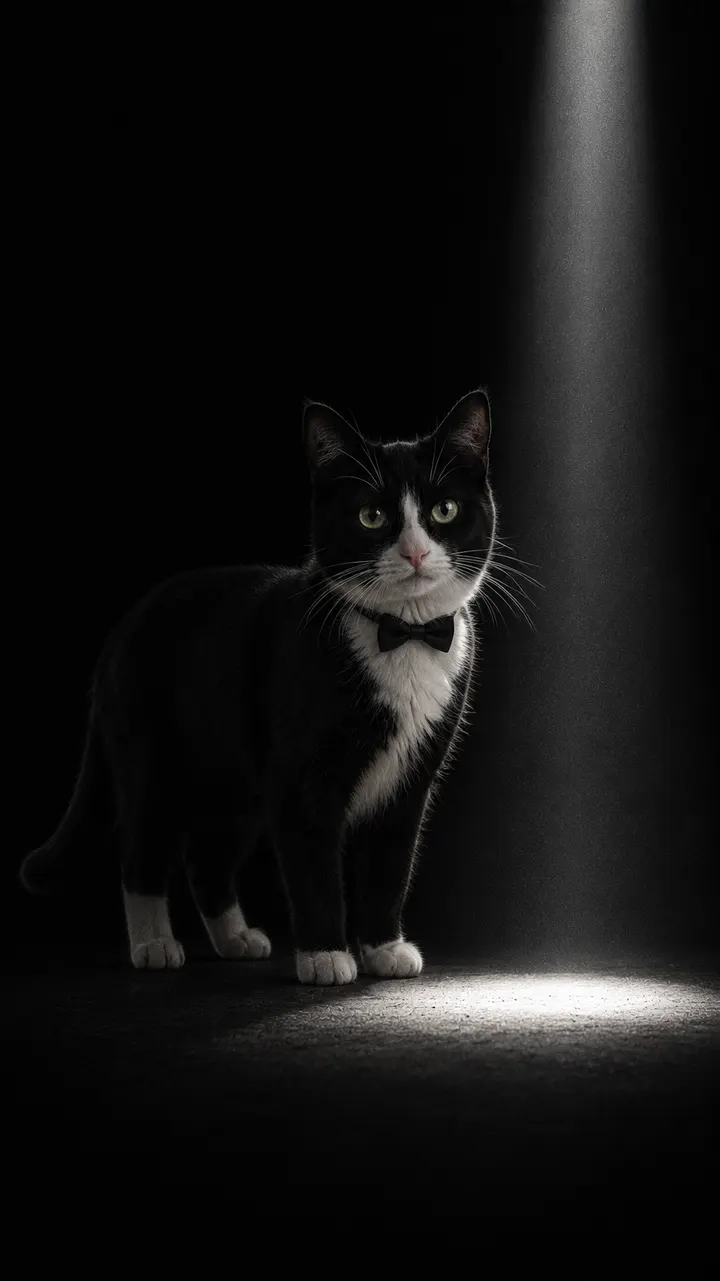
The same man as an everyday photo, as the first frame in a black tuxedo under one beam, and as the clip of him straightening a cuff and looking up; a tuxedo cat is the pet card. The dim, yellow indoor snap and its fixed version are in the comparison below.
PhotoStill (first frame)Clip · 9 sec
Dark room walk-in
An original man in a black tuxedo and bow tie stands in a single beam in a pitch-black room, straightens his shirt cuff, then raises his eyes to the lens as the camera moves in to chest up, ending on a half smile. Input requirement: one sharp, bright upright 9:16 photo of one adult from the waist or chest up, face lit evenly, or one pet with face and ears in view.
Sample clip made with Seedance 2.0 Fast (9 s, 9:16 vertical, 720p, audio on) from a single upright first frame.Use the Dark Room Walk-In preset
PhotoStill (first frame)Clip · 8 sec
Tuxedo cat sit
An AI black-and-white tuxedo cat with a small black bow tie walks out of the dark into a single beam, sits in the circle of light and looks up into the lens. Input requirement: one sharp, bright upright 9:16 photo of one adult from the waist or chest up, face lit evenly, or one pet with face and ears in view.
Sample clip made with Seedance 2.0 Fast (8 s, 9:16 vertical, 720p, audio on) from a single upright first frame.Use the Tuxedo Cat Sit preset
Why a James Bond reveal needs a bright face in the photo
The scene throws everything into black and lights you with one beam, so the model has only your photo to rebuild the face; a dim or blurry face comes out flat or drifts.
One beam, no fill light
In a James Bond reveal the light comes straight down, and half of the face sits in shadow. Detail that is already lost in a dark photo cannot come back in that light. If the background is busy, clean up the background first with Image to Image so only you are left.
Face, not clothes
The black tuxedo, white shirt and bow tie come from the scene, so any clothes work. What has to come from your photo is the face: sharp, bright, turned to the camera or three-quarters, no sunglasses or hat; everyday glasses can stay.
Fix the photo for the James Bond reveal in PhotoCraft
Load the photo into PhotoCraft, turn it upright at 9:16 from the waist up, lift brightness and contrast on the face, take the yellow cast out and Export.
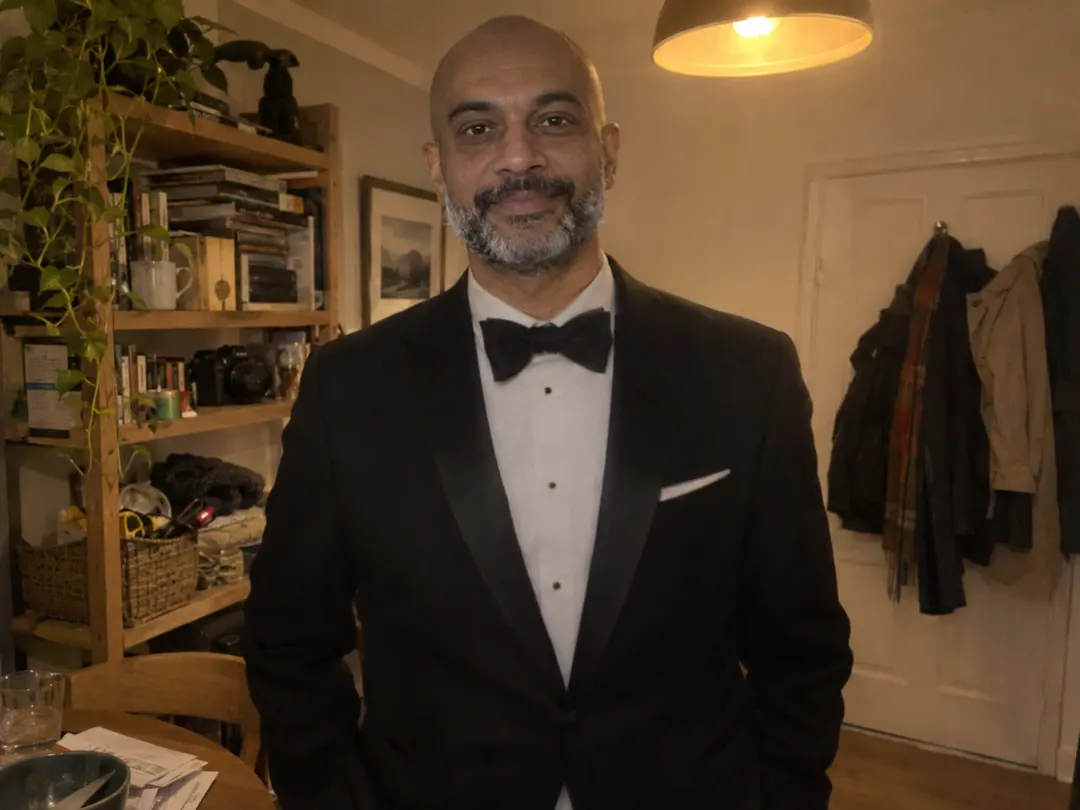
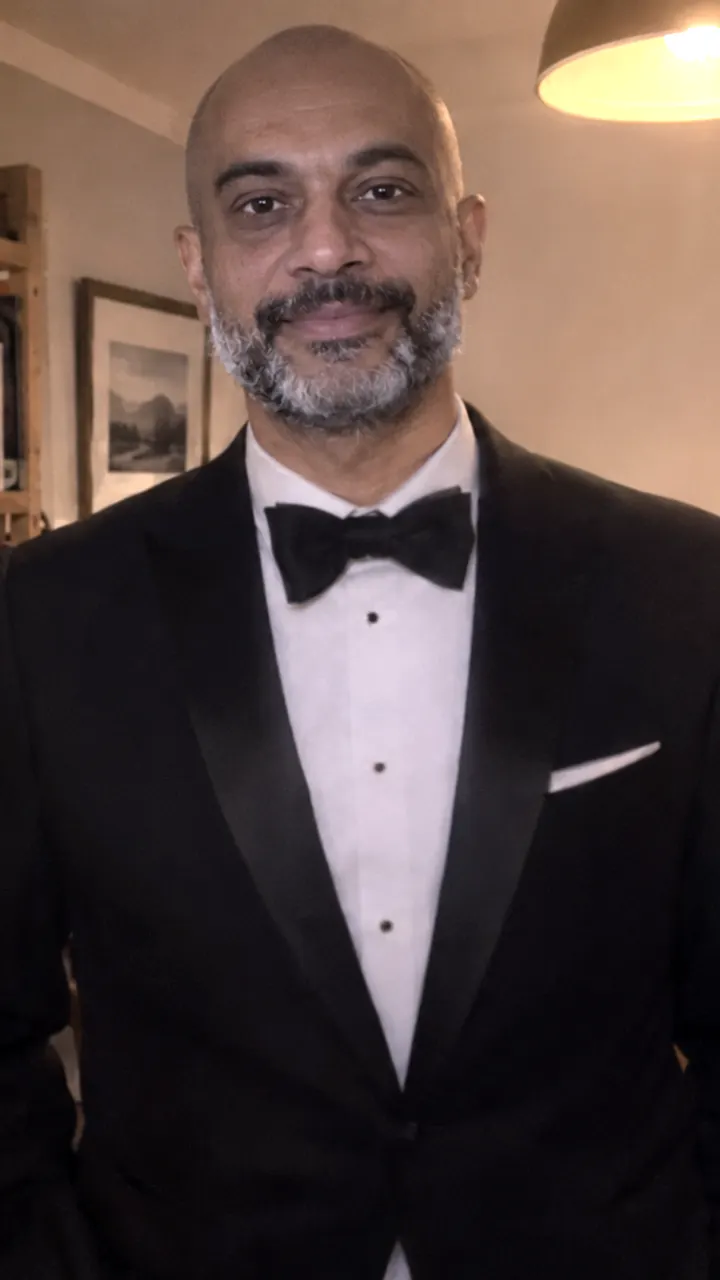
Before Snap: wide frame, yellow lamp light, face grey, clutter behind.After The same snap cropped to 9:16, brightened, the yellow taken down.
Still only The left image was made with an image model on November 17, 2026; the right one is that same image cropped to 9:16, brightened and cooled with plain adjustments to show the fixes above, not exported from the PhotoCraft editor. The tuxedo still in the first sample was made with an image model from a separate photo of the same man.
Upright at 9:16
To fix a photo for the James Bond reveal, start with the frame. Indoor snaps are often wide, with shelves and coats around you. Crop upright from just above your head to the waist so you sit in the middle of the frame.
Lift the face
Raise brightness and a little contrast until the eyes, the beard or the brows read clearly. The beam is hard and white, so a face that is already grey turns muddy in it.
Take out the yellow
Warm ceiling bulbs make skin yellow-grey, and the James Bond reveal sets your face next to a bright white shirt. Pull the colour slightly cooler and lower the saturation a touch so the skin looks natural next to a white shirt.
James Bond reveal from fixed photo to spy reveal clip
Drop the brightened photo on the workbench, pick Dark Room Walk-In for yourself or Tuxedo Cat Sit for a cat, render once, and save the ten-second tux clip as MP4.
1
Fixed photo in
Crop to 9:16 from the waist up, brighten your face and take out the yellow in the PhotoCraft online editor, then Export. For the tuxedo in the dark in the opening frame, run the fixed photo through Image to Image first; the sample stills were made that way with an image model.
Open Image to Video and turn the fixed photo into a clip: upload it as the first frame and choose Dark Room Walk-In for yourself or Tuxedo Cat Sit for a pet.
Check the credit quote on the button and press generate. The James Bond reveal AI trend took off after a first-look teaser captioned "Identity Confirmed" was posted on November 16, 2026; your clip is fan-made and comes with its own original music.
Keep your face from the first frame, open in near-total black, step into one beam from above, straighten a shirt cuff with empty hands, and end chest up with your eyes on the lens.
Use the photo as the first frame; the person keeps the exact face, hair, skin tone and black tuxedo with bow tie in every frame. One continuous slow take, vertical, a pitch-black empty space lit by a single hard beam falling straight down from above. Original suspense instrumental with low strings and a slow muted brass swell, no lyrics, no known melody. 0-2 s: the person waits in the dark at the edge of the beam, only the white shirt cuffs and the outline of the shoulders catching the spill. 2-5 s: two slow, even steps forward into the beam; the light falls over the head and shoulders and the satin lapels shine, the camera pushes in slowly. 5-7 s: they stop in the centre of the light and straighten the left shirt cuff with the right hand, calm, eyes down. 7-10 s: chest-up framing, they raise their eyes to the lens with a steady look and the hint of a half smile; hold still to the end. Empty hands throughout: no gun, no weapon, no glass. No other people, no children. No cuts, no dialogue. No text, no logos, no numbers, no circular frames.
0–2 sDarkness; only a shirt cuff and a shoulder edge catch the light
2–5 sTwo slow steps forward into the beam
5–7 sStop in the light and straighten a cuff, eyes down
7–10 sChest up, eyes up to the lens, a half smile
Empty hands
The teaser people copy shows a pistol. This James Bond reveal prompt swaps it for a cuff straighten and says "no gun, no weapon, no glass", because a gun in frame can get a post held back on some apps.
No logos, no circles
"No text, no logos, no numbers, no circular frames" keeps out title cards and the gun-barrel circle, so the clip stays a generic tux reveal rather than a copy of a film opening.
Can I post a James Bond reveal made here?
Yes, with your own photo, a friend who said yes or your pet. It is fan-made and not official 007 content, so keep the AI label on and leave logos and guns out.
Whose photo
Your own face, an adult friend who agreed to it, or your dog or cat. A new James Bond AI clip of a real actor or a stranger is not a joke they agreed to, so leave out photos of actors, strangers and children.
Fan-made, not official
A clip made from your photo has no connection to the films or the studio. Keep the AI label your platform offers switched on, and do not caption it as an official 007 clip or casting news.
Everything around you goes black and only one beam lights you, so a dim or yellow face in the photo turns muddy in the light; a bright, sharp face keeps you recognisable.
Does a dark selfie work?
Brighten it first. Turn it upright, crop from the chest or waist up and lift the face in the PhotoCraft online editor; take sunglasses and hats off before you shoot.
Can my cat be the one in the light?
Yes. For a cat or dog James Bond reveal, use one pet with its face and ears in view and pick Tuxedo Cat Sit; its markings come from the photo and it gets a small bow tie.
Is this an official 007 clip?
No. Every James Bond reveal made here is a fan-made AI clip from your photo, unrelated to the films: no logo, no gun, original music, and you keep the AI label on when you post.
What does one James Bond reveal clip cost?
The presets use Seedance 2 Mini at 480p for 10 seconds, and the button shows the exact credits before you render. Credits come in one-time credit packs; there is no monthly plan.
After the james bond reveal: more AI video effects