Counting Money Meme From One Selfie You Fixed First
Crop your selfie to 9:16 chest up and brighten it in the PhotoCraft editor, then upload it to Image to Video and you flip a stack of prop cash like a boss.
Pick a starting scene. It fills the prompt, model, ratio and duration below; edit anything, check the credit quote, then generate.
Fix the still in the editor first: crop to a 9:16 chest-up frame, brighten your face and paint out the clutter behind you, then Export and upload the image here. Open the editor in a new tab
Preset: Office Riffle · filled in for you
Your clip appears hereAbove: what this preset made in our sample. Yours keeps your own still.
AI content needs review. Use only photos and prompts you have permission to process, and never upload a stranger or a child. Image references are uploaded through our server to KIE only when you submit. Results use temporary provider links. Privacy & retention · Credit rules.
Counting money meme examples from fixed selfies
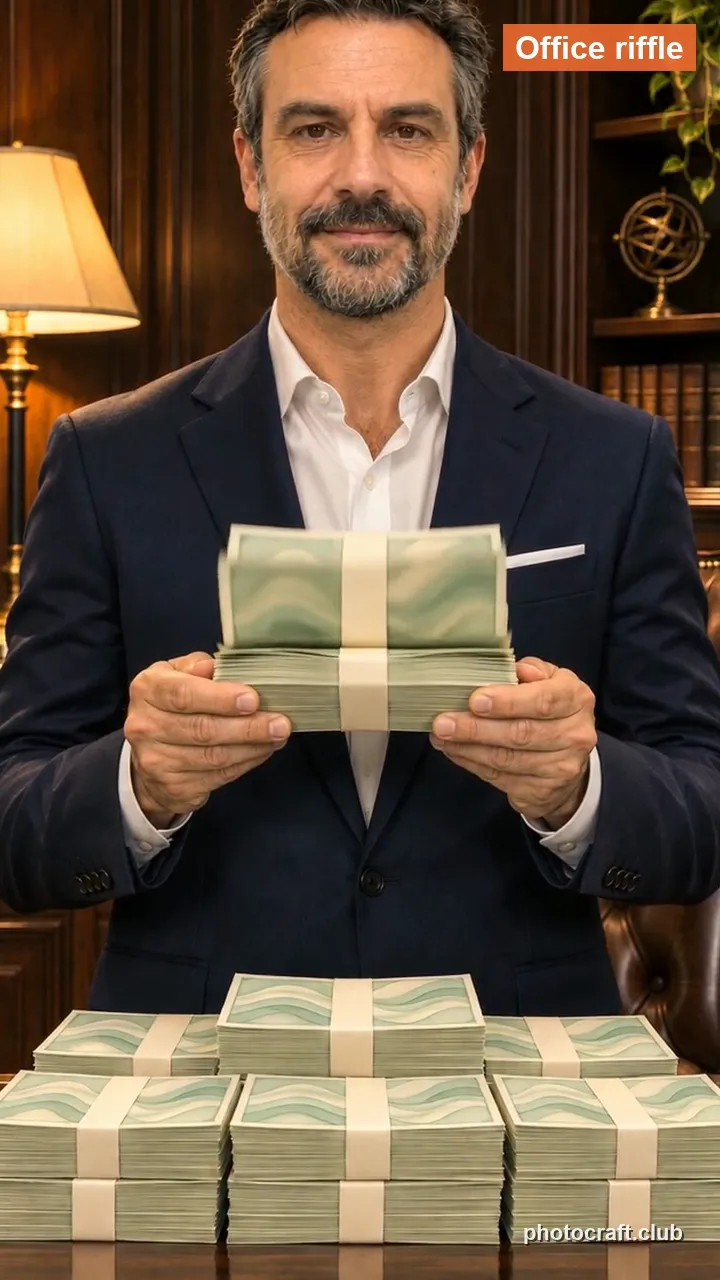
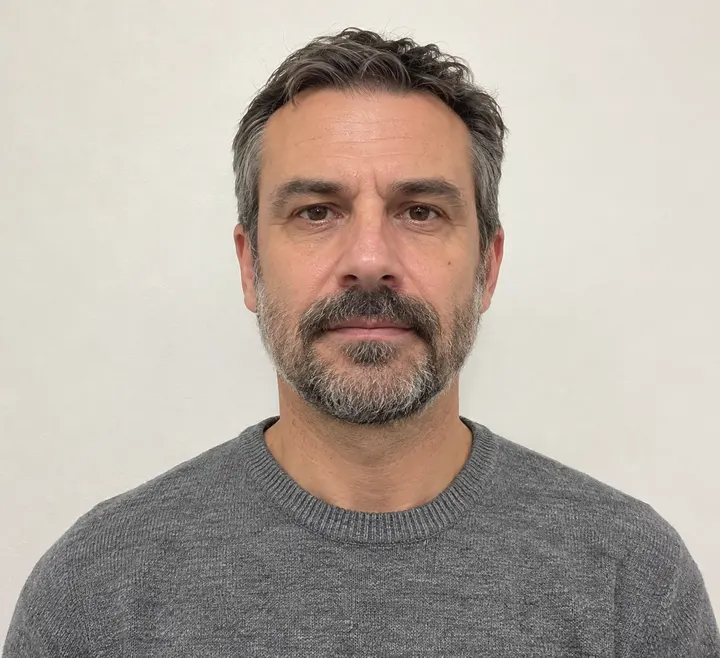
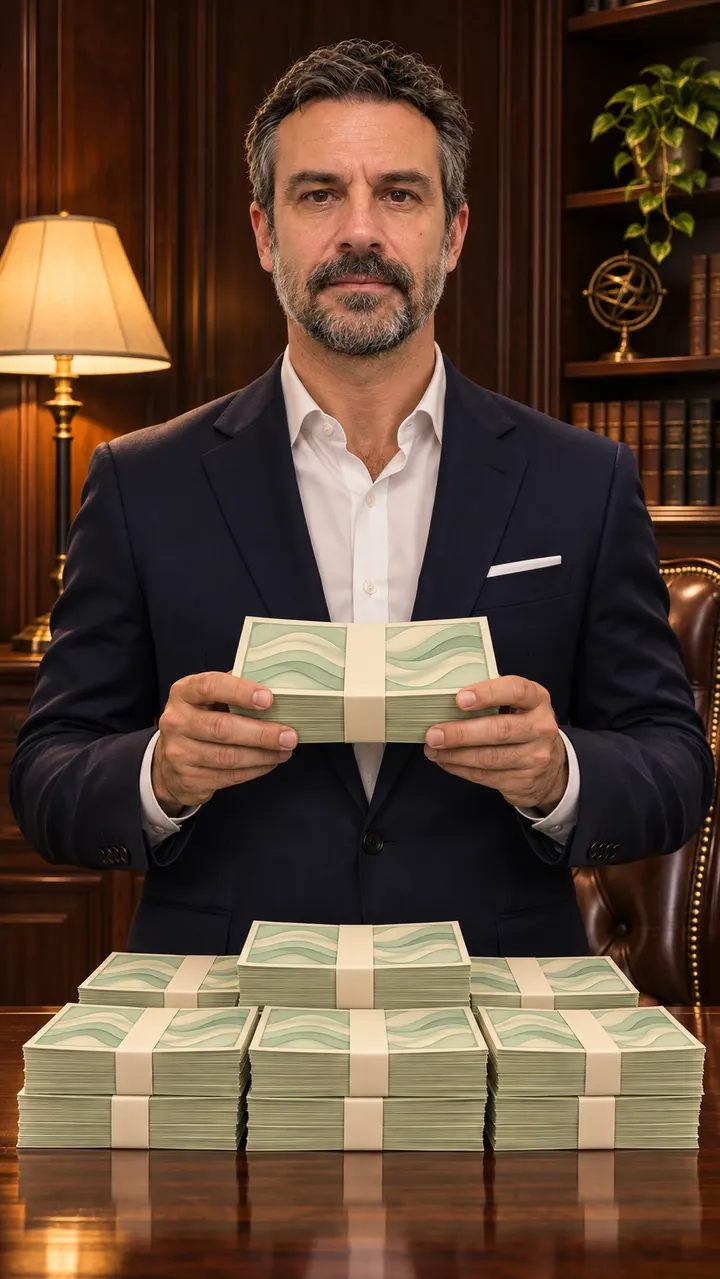
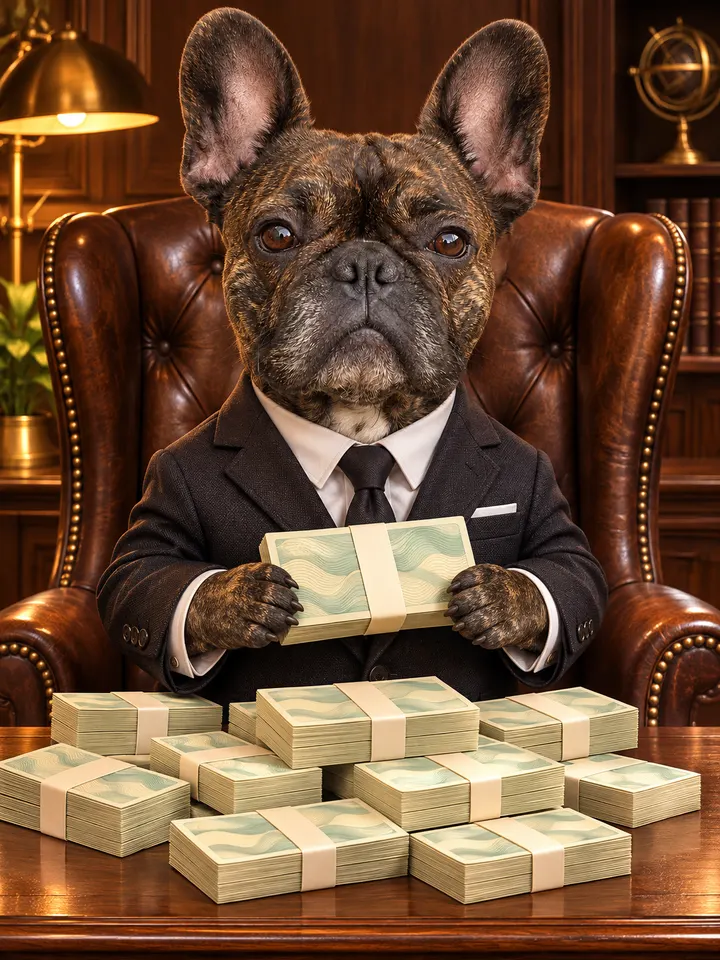
One original man shown three ways: the plain selfie, the boss still with the suit and the desk of prop cash, and the clip where he riffles the stack; plus a bulldog boss in a small suit.
PhotoStill (first frame)Clip · 8 sec
Office riffle
An original man in a navy suit stands behind a wood-panelled office desk stacked with banded prop bundles, thumbs through a stack held at chest height, then pulls a few bills out and holds them up with a pleased look. Input requirement: one clear upright 9:16 chest-up portrait or pet photo with face lit evenly. Uses fictional prop paper with no numbers or portraits, plus original hip-hop instrumental.
Sample clip made with Seedance 2.0 Fast (8 s, 9:16 vertical, 720p, audio on) from a single upright first frame.Use the Office Riffle preset
PhotoStill (first frame)Clip · 8 sec
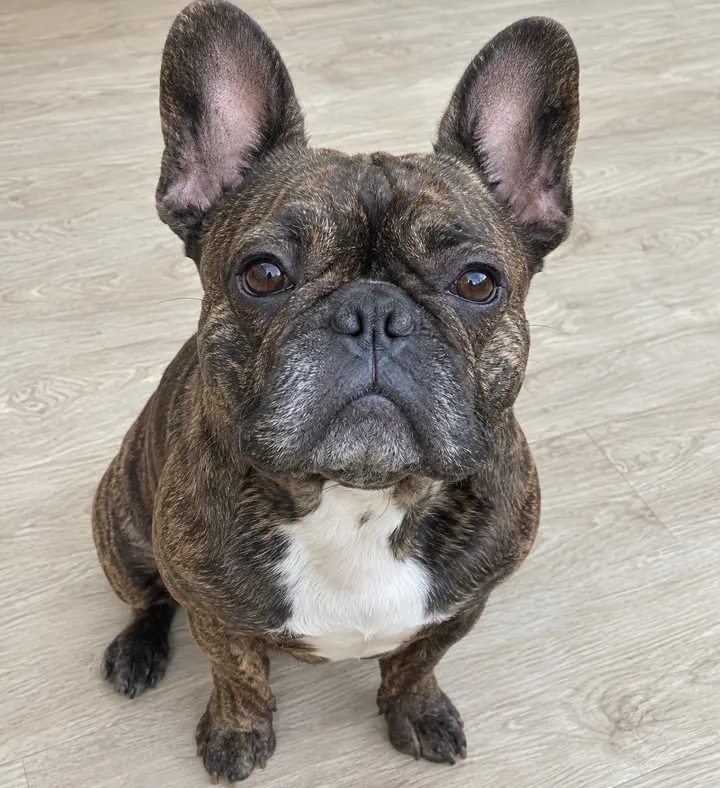
Bulldog at the big desk
An AI brindle French bulldog in a small black suit sits in a leather chair, holds a bundle in its paws, then spreads the bills into a fan in each paw. Input requirement: one clear upright 9:16 chest-up portrait or pet photo with face lit evenly. Uses fictional prop paper with no numbers or portraits, plus original hip-hop instrumental.
Sample clip made with Seedance 2.0 Fast (8 s, 9:16 vertical, 720p, audio on) from a single upright first frame.Use the Bulldog Boss preset
Fix the selfie in the editor for the counting money meme
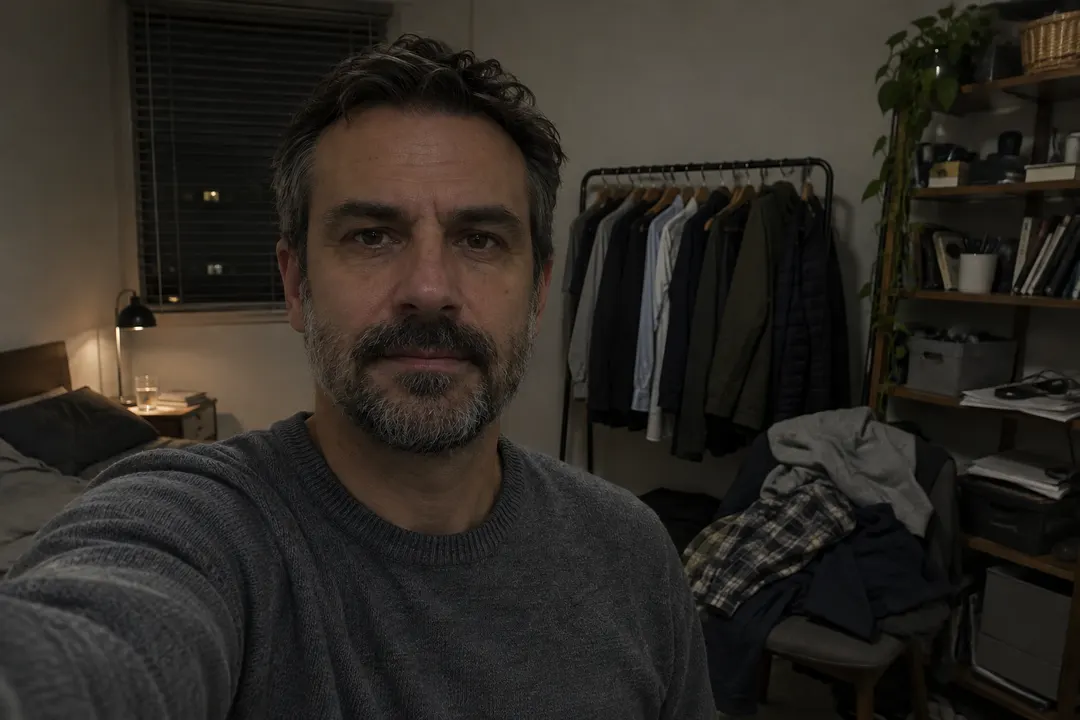
Open the selfie in the PhotoCraft online editor, crop it to a 9:16 chest-up frame, lift the light on your face and paint out the clutter behind you, then Export. Your face stays big from the first second to the last, so whatever is wrong with the selfie shows in every frame.
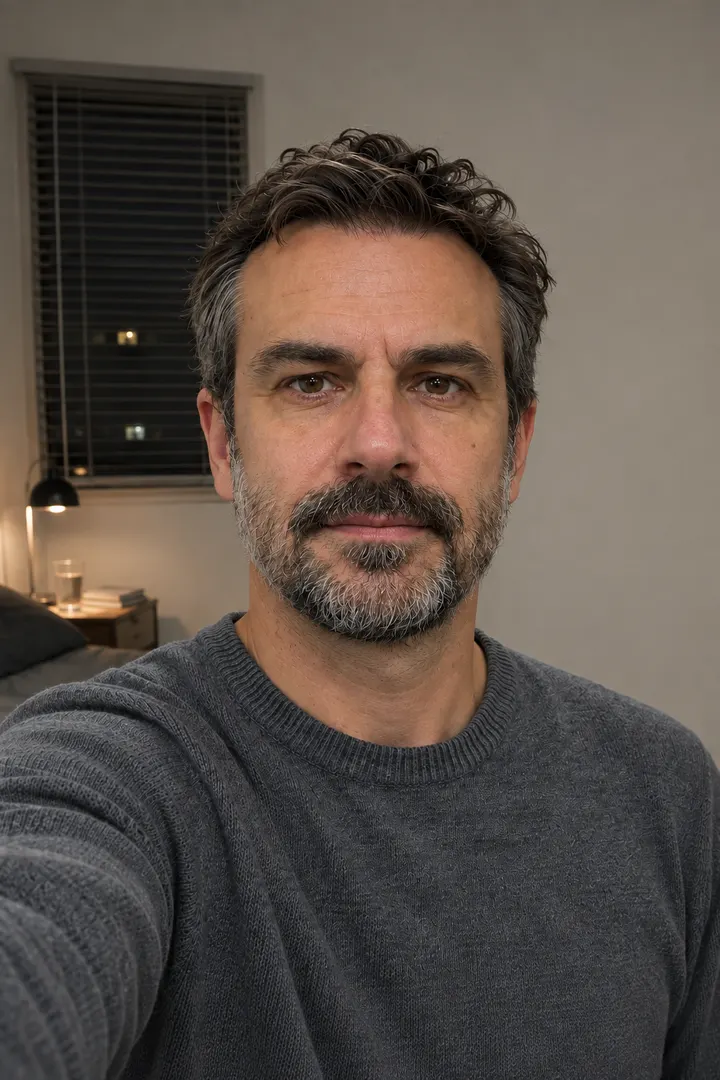
Before Selfie: wide frame, face in shadow, a clothes rack and clutter behind.After Cropped upright chest up, face brightened, rack and clutter painted out.
Still only Both images were made with an image model on November 9, 2026 to show the three fixes above; the sample clips start from their own stills.
Crop to 9:16 chest up
Most selfies come out wide. Crop upright from the top of your head to the middle of your chest, with a little room above the hair; the suit, the desk and the cash are added around that frame.
Brighten the face
Evening selfies leave the face grey and in shadow. Raise brightness and shadows until your eyes and skin tone read clearly; the clip keeps that light.
Paint out the clutter
A clothes rack, a pile on a chair or a busy shelf behind you can survive into the boss scene. Paint them out so only you are left on a plain background.
Fix the selfie, upload it to Image to Video with the Office Riffle or Bulldog Boss preset, then generate and download the clip.
1
Fix
In the PhotoCraft online editor, crop to 9:16 chest up, brighten your face, paint out the clutter and Export. For the suit and the desk of cash in the opening frame, run the fixed selfie through Image to Image with that scene first; the sample stills were made that way with an image model.
Keep the face from the first frame, put a dark suit and a desk of blurred prop bundles around it, and write four beats: the smug look, the thumb flip, the fan, the slow wave at the lens.
Use the photo as the first frame; keep the face, hair and beard exactly. He wears a navy suit and sits at a dark wood office desk piled with banded stacks of prop bills. One fixed vertical shot, one continuous take. 0-1 s: he looks into the lens with a calm, smug face, a thick stack at chest height. 1-6 s: he flips through the stack fast with both thumbs, bills flicking past with a crisp riffle, eyes going from the cash to the camera and back, eyebrows raised. 6-8 s: he spreads the stack into a wide fan in one hand. 8-10 s: he waves the fan slowly toward the camera with a satisfied grin; his face stays in view above the fan. Fictional prop bills only: pale mint-green and cream paper with an abstract wave pattern, no portraits, no numbers, no writing, not real currency. Original confident hip-hop instrumental, no lyrics. No text, no logos.
0–1 sSmug look into the lens, stack at chest height
1–6 sFast flip with both thumbs, eyes on the cash, then the camera
6–8 sThe stack spreads into a wide fan
8–10 sA slow wave of the fan toward the lens
The four beats
Look, flip, fan, wave. The fast thumb flip in the middle is the part people recognise, so give it the most seconds and keep the face above the cash in the last beat.
Pet boss version
Pick Bulldog Boss and upload a pet photo: a small suit, the bills held in its front paws, and "paws not hands" in the prompt so the paws stay paws.
Which selfie works for the counting money meme
One person, face to the camera, chest or waist up, sharp and well lit; no sunglasses or hat over the face, and nobody else in the frame.
Keep in the frame
Your face straight to the camera, eyes open, from the chest or the waist up, in daylight or a bright room. Any top works, because the suit comes from the scene.
Leave out
Sunglasses, a hat brim over the eyes, other people, and a real phone or wallet in your hands. Use your own photo or a friend who said yes.
The clip keeps your face big from the first second to the last, so a dark, sideways or cluttered selfie shows in every frame. Fix it once in the PhotoCraft online editor and Export before you upload.
Do I need a suit in my photo?
No. Any top works. Image to Image can dress you in the dark suit and seat you at the desk of bills before you animate, and the prompt keeps that scene moving.
Is the money in the video fake?
Yes, on purpose. The prompt asks for prop bills in pale mint and cream with no numbers, portraits or writing, so nothing on them reads as real currency.
Where did this meme come from?
Counting money is a years-old reaction GIF people post when they get paid or win a bet. The AI version took off with a Spanish CapCut template posted on November 1, 2026, captioned to count bills like a big boss; an English copy followed on November 4.
How are credits charged?
The presets use Seedance 2 Mini at 480p for 10 seconds, and the button shows the exact credits before you generate. Credits come in one-time credit packs; there is no subscription.
After the counting money meme: more AI video effects