Christmas Princess Carriage AI Trend: Fix the Selfie, Then Step Out
Fix your selfie in the PhotoCraft editor, turn it into a red gown still beside a lit carriage with Image to Image, then Image to Video steps you into the snow.
Make your christmas princess carriage ai trend clip
Pick a starting scene. It fills the prompt, model, ratio and duration below; edit anything, check the credit quote, then generate.
Fix the still in the editor first: crop the selfie to chest up, warm the colour and clear the shine, then make the gown still in Image to Image and upload it here. Open the editor in a new tab
Preset: Carriage Glow · filled in for you
Your clip appears hereAbove: what this preset made in our sample. Yours keeps your own still.
AI content needs review. Use only photos and prompts you have permission to process, and never upload a stranger or a child. Image references are uploaded through our server to KIE only when you submit. Results use temporary provider links. Privacy & retention · Credit rules.
Christmas princess carriage AI trend before and after
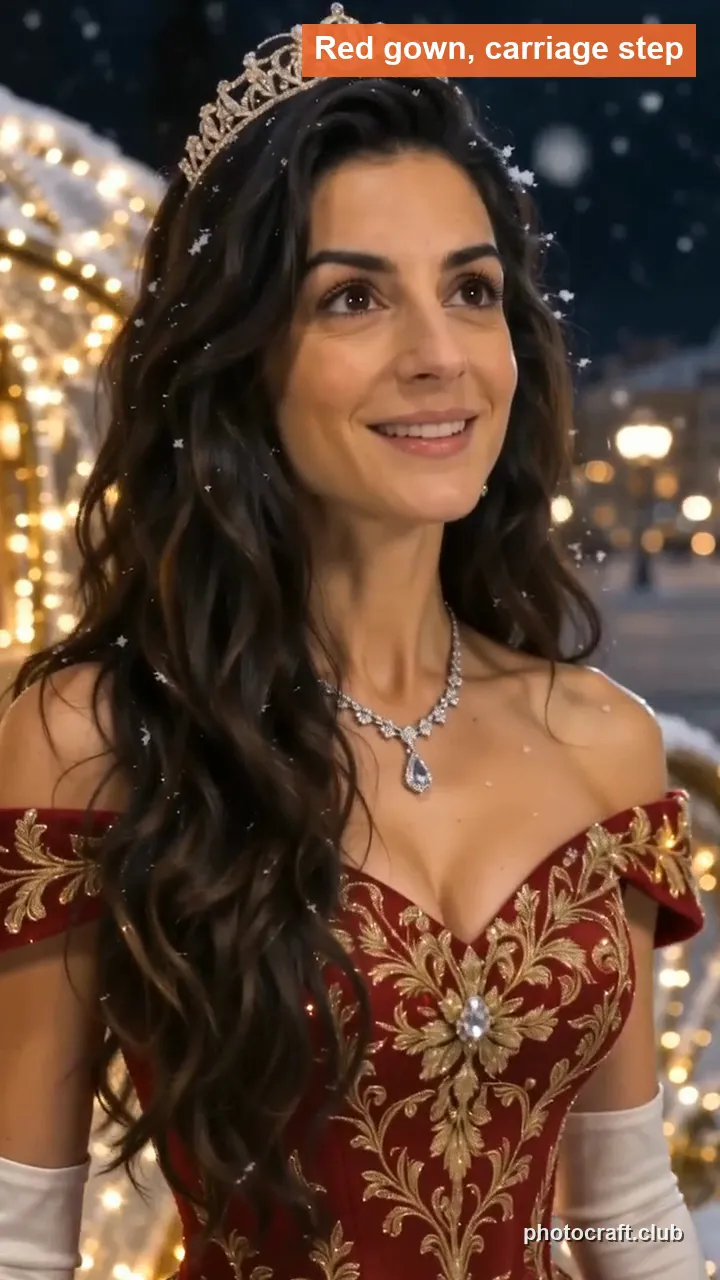
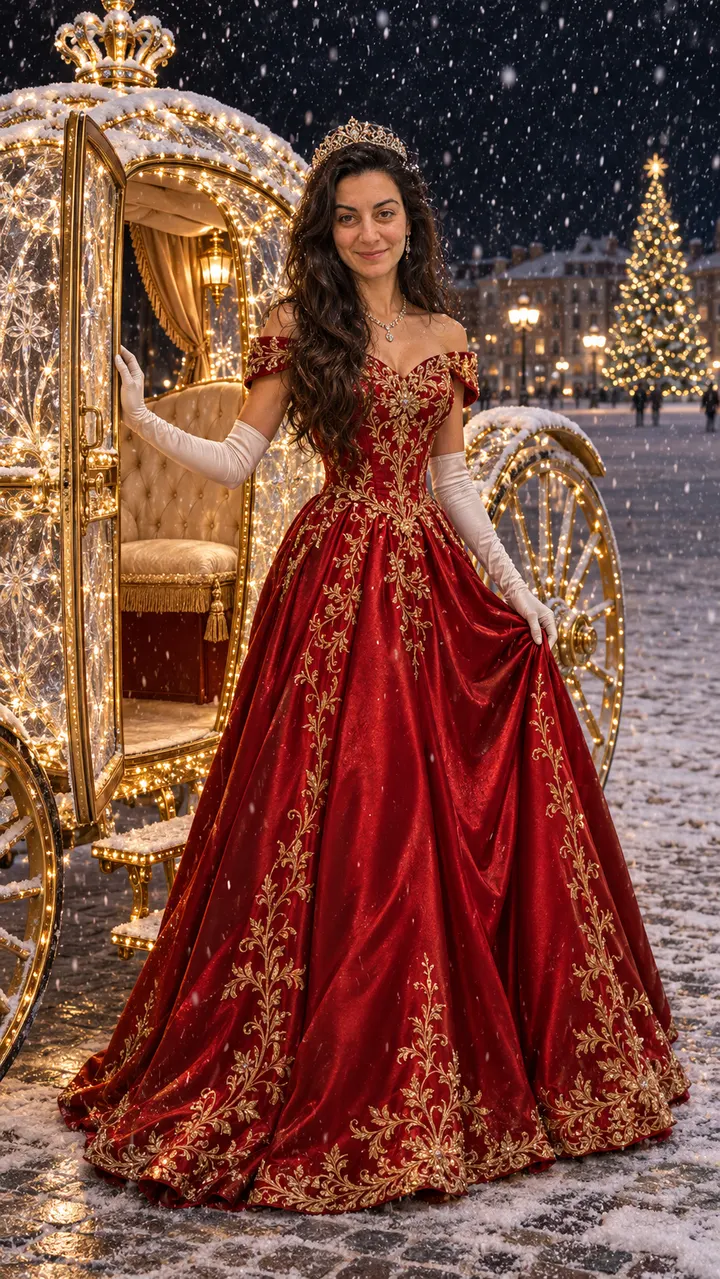
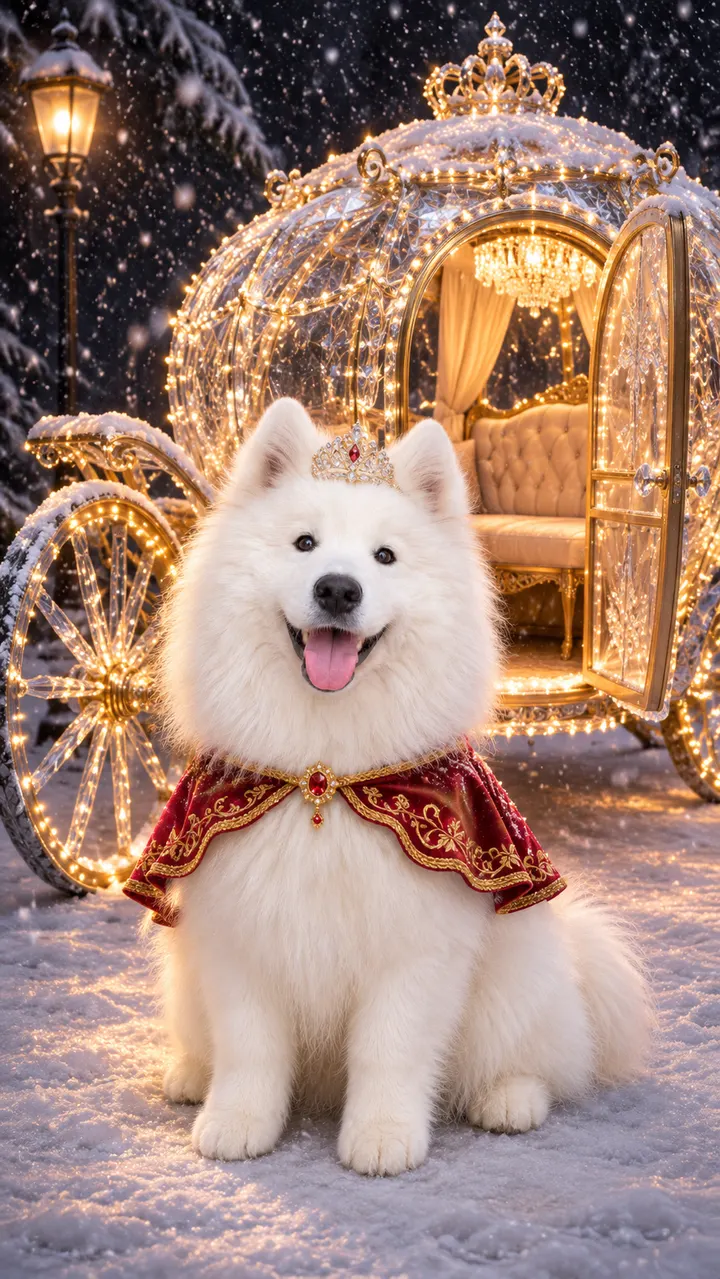
The same face cropped and warmed, the red gown still by the carriage and the clip that starts from it, plus a samoyed in a red cape at the same carriage. The arm’s-length selfie it started from is in the comparison below.
PhotoStill (first frame)Clip · 9 sec
Red gown, carriage step
A red jeweled heel steps onto the snow beside a lit carriage, the camera climbs the gold-embroidered red gown, the original woman turns in the falling snow and ends smiling under her tiara. Input requirement: one clear chest-up photo or upright 9:16 carriage still with face in focus and even warm light. Original gentle orchestral music included.
Sample clip made with Seedance 2.0 Fast (9 s, 9:16 vertical, 720p, audio on) from a single carriage still.Use the Carriage Glow preset
PhotoStill (first frame)Clip · 9 sec
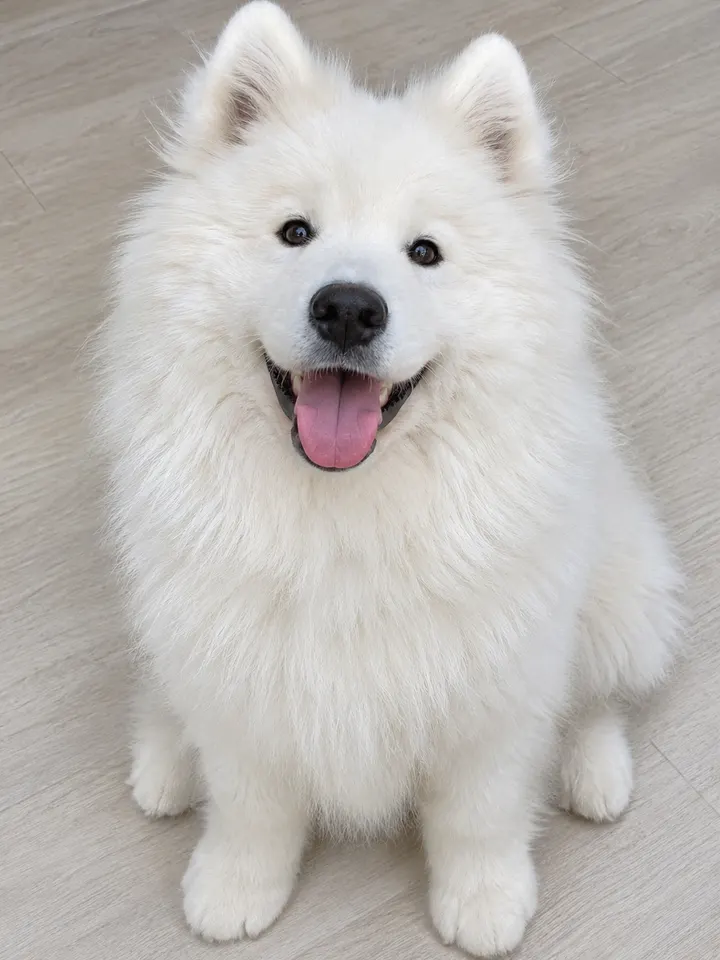
Samoyed, carriage glow
A white paw steps down from the lit carriage onto the snow, then an AI samoyed in a red cape and tiny tiara looks up, turns and smiles open-mouthed at the lens. Input requirement: one clear chest-up photo or upright 9:16 carriage still with face in focus and even warm light. Original gentle orchestral music included.
Sample clip made with Seedance 2.0 Fast (9 s, 9:16 vertical, 720p, audio on) from a single carriage still.Use the Pet Carriage preset
Retouch a Christmas princess carriage AI trend selfie
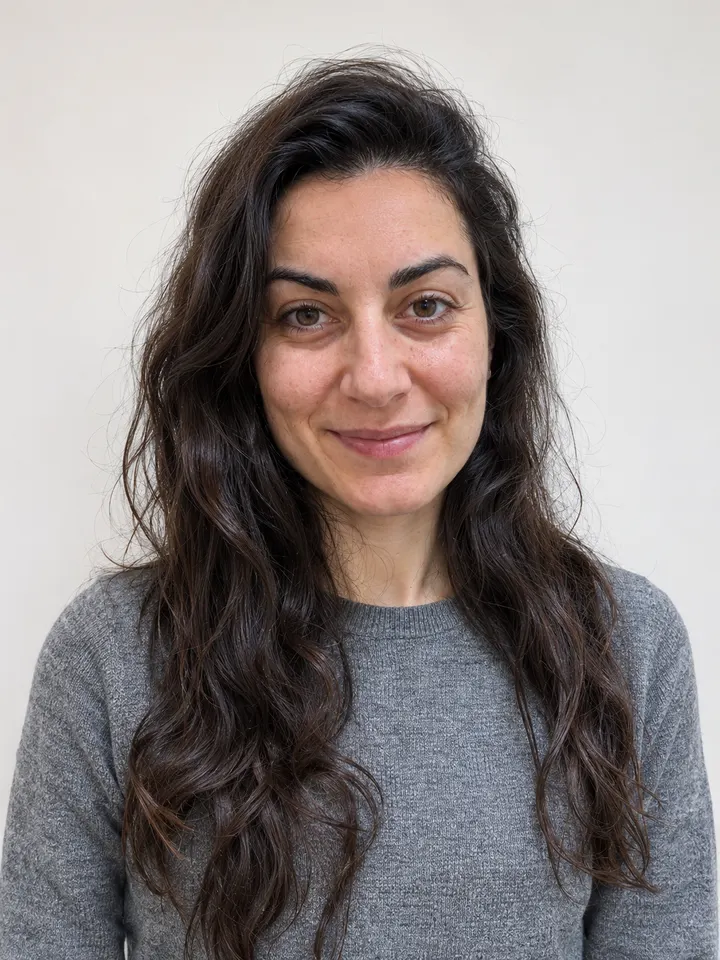
Open the selfie in the PhotoCraft online editor, crop it to an upright chest-up frame, warm the colour, clear the shine on the forehead and Export; the close-up at the end shows every detail.
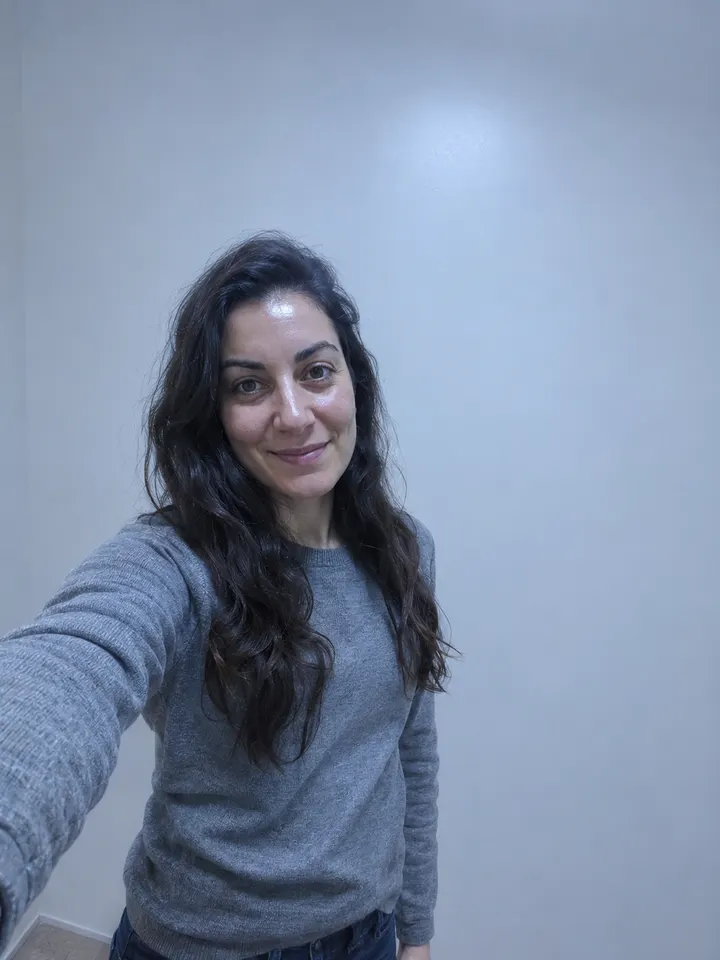
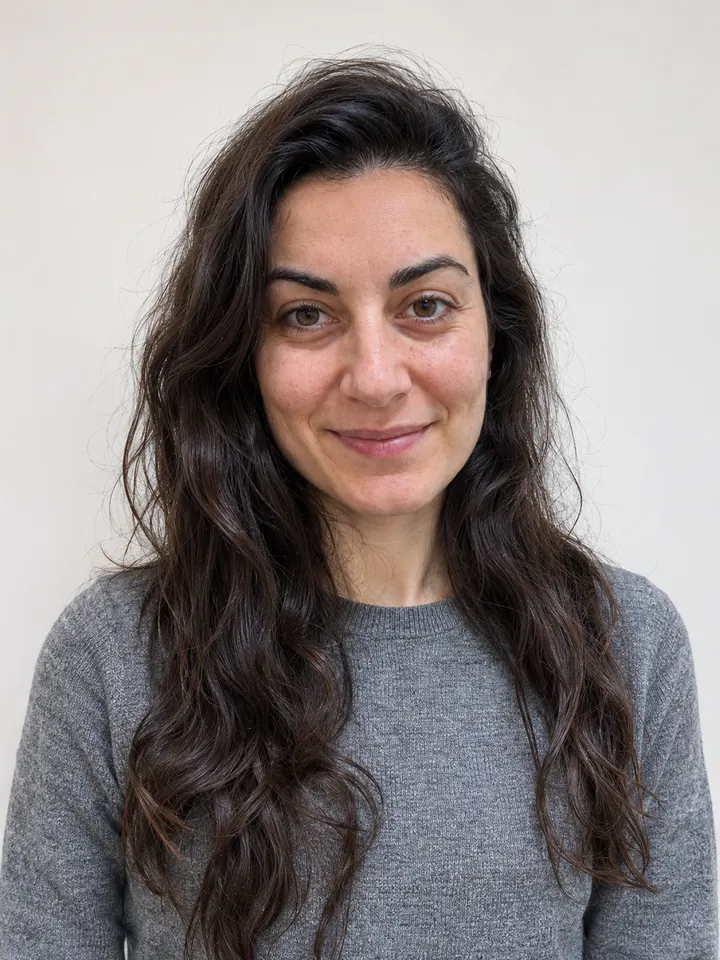
Before Arm’s-length selfie: cool light, face small, arm in the frame.After Chest up, warmer, shine cleared. The gown still was made from this.
Still only Both images were made with an image model on November 11, 2026 to show the fixes above, not exported from the PhotoCraft editor; the gown still in the first sample was made from the image on the right.
Crop to chest up
An arm’s-length selfie leaves your face small and your arm in the frame. Crop upright from just above the hair to the chest, face to the camera; the gown comes later.
Warm the colour
Indoor daylight turns skin grey-blue. Pull the colour warmer so the face matches the gold carriage lights in the still.
Clear the shine
Dab out shine on the forehead and nose. Skip beauty filters: they change your face before the still is even made.
Christmas princess carriage AI trend in three tools
Fix the selfie in the editor, make the red gown still in Image to Image, then load it into Image to Video with Carriage Glow or Pet Carriage; the MP4 lands in your downloads. No CapCut template needed.
1
Editor
Crop the selfie to chest up, warm the colour and clear the shine in the PhotoCraft online editor, then Export.
Upload the fixed selfie and ask for you in a red satin gown with gold embroidery, white gloves and a tiara, standing by a lit carriage in the snow at night, upright 9:16.
Writing the Christmas princess carriage AI trend prompt
Name the step down from the carriage, the slow rise along the gown, one spin in the snow and the close-up ending, then add a line that keeps the face, the gloves and the tiara.
Use the photo as the first frame; keep the woman's face, eyes, hair, the red satin gown with gold embroidery, the white gloves and the tiara. One continuous vertical shot. 0-2 s: close on a jeweled red heel stepping down from the lit carriage onto fresh snow. 2-5 s: the camera rises slowly along the gown to her face as she looks up and smiles. 5-8 s: she turns and spins once in the snow, the skirt opening wide, gold lights sparkling. 8-10 s: close-up of her face and tiara, snowflakes in her hair, a soft smile at the lens. Exactly one person, natural anatomy, five fingers on each gloved hand. A generic Christmas princess. Original gentle orchestral Christmas instrumental, no lyrics. No text, no logos.
Heel, rise, spin, close-up. Each gets two or three seconds; a fifth action makes the model rush the spin.
The keep-the-face line
Start with "keep the woman's face, eyes, hair, the gown, the gloves and the tiara" and add "exactly one person, five fingers on each gloved hand" so nobody new walks in.
Christmas princess carriage AI trend photo checklist
Face to the camera, sharp, chest up, good light, no sunglasses, hat or beauty filter; for the pet version, a clear photo of your dog or cat looking at the lens.
Photos that work
One adult, face to the camera and in focus, chest up or closer, daylight or a bright room. Any clothes: the gown, gloves and tiara come from the still.
Photos that blur
Sunglasses, a hat brim, a beauty filter, group shots, and anyone who is not an adult. Use your own photo or one a friend agreed to share.
The clip ends close on your face under the tiara, so a cold tint or a shiny forehead shows most there. Fix it once in the PhotoCraft online editor before you make the still.
How should I crop the selfie?
Upright 9:16, chest up, face to the camera and sharp. You do not need a gown in the photo; it is added in the still.
Should I use a beauty filter?
No. Remove only what is temporary, like shine. A filter changes your face before the still is even made.
Can my pet do it?
Yes. Turn a clear pet photo into a still of your dog or cat in a small red cape and a tiny tiara by the carriage, then pick Pet Carriage.
What does one clip cost?
The presets use Seedance 2 Mini at 480p for 10 seconds, and the button shows the exact credits before you render. Credits come in one-time credit packs; there is no subscription.
After the christmas princess carriage ai trend: more AI video effects